
Want to see how the modules fit together first? Read How It Works, which follows the eight steps from research to submission.
Home
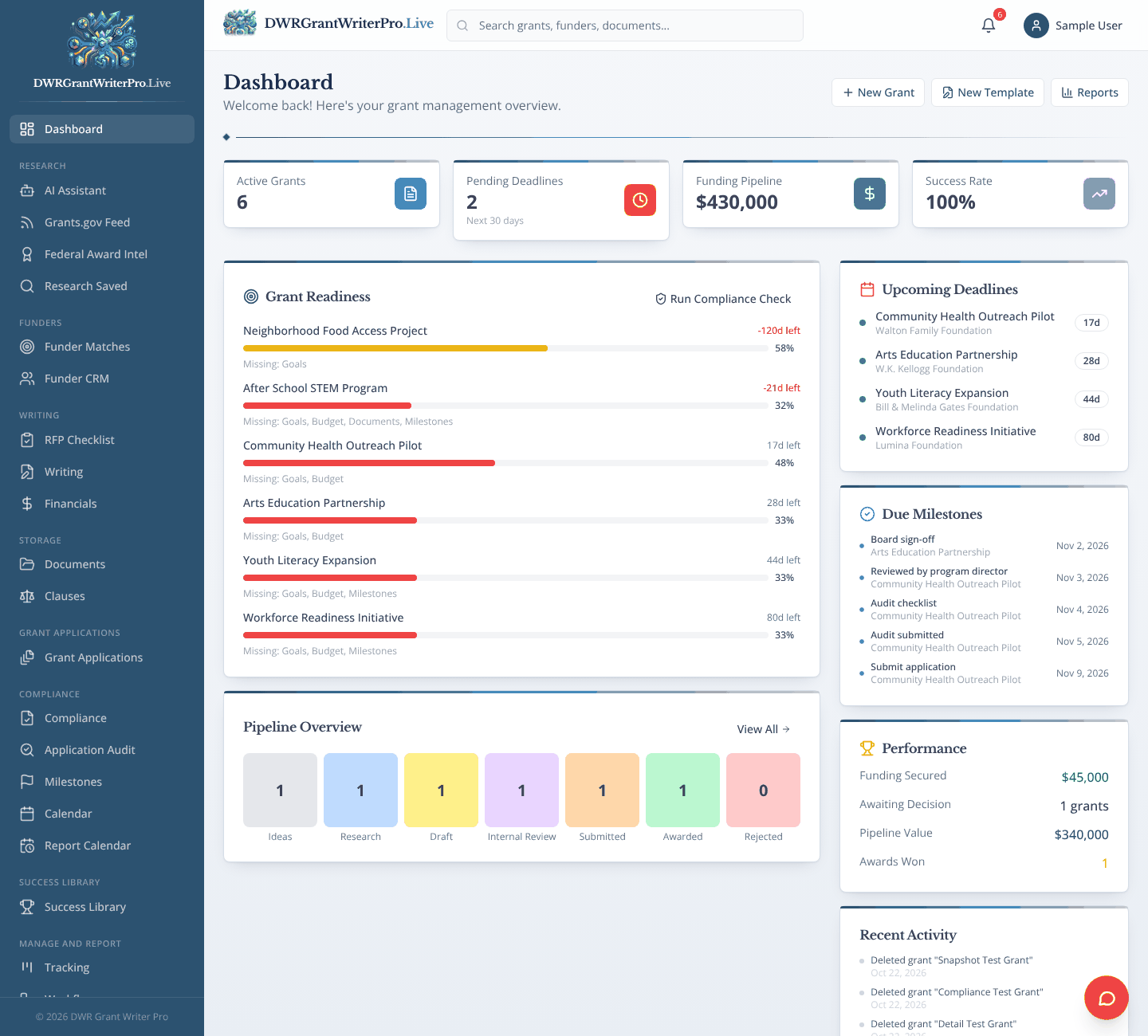
Dashboard
One screen with upcoming deadlines, grant readiness and where every grant stands.
What you can do
- Upcoming deadlines with days left
- Readiness bars that show what is missing on each grant
- Due milestones, funding pipeline and awards won
- Quick buttons to add a grant, start a template or open reports
Why it matters
Start each day knowing what needs your attention first.
Research
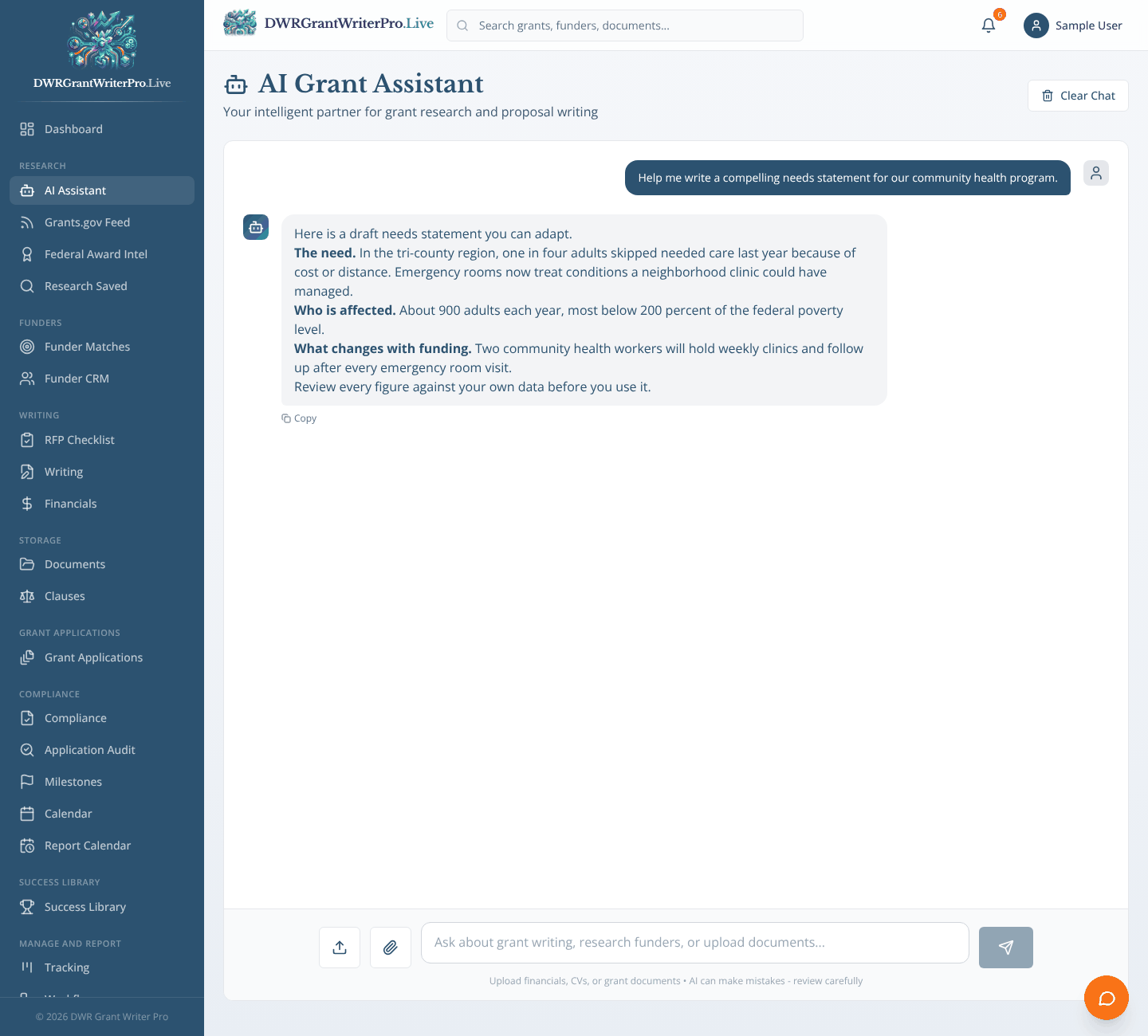
AI Assistant
A chat assistant for grant strategy, funder research and proposal questions.
What you can do
- Ready made prompts: find grants, research funders, write a needs statement, review a budget
- Upload documents and ask questions about them
- Save what it finds straight into Research Saved
Why it matters
A research partner available at any hour. Its answers are a starting point, so you review them before you rely on them.
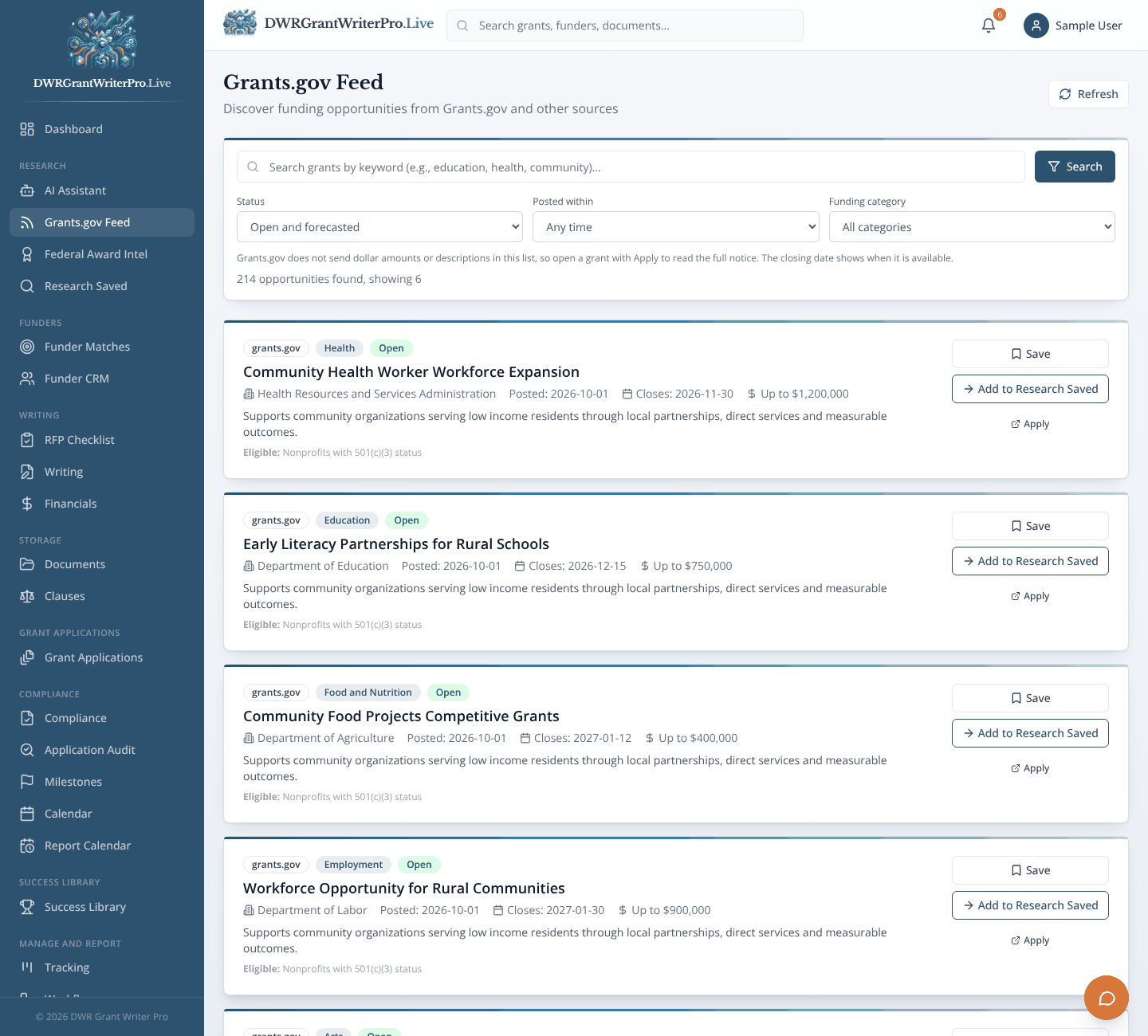
Grants.gov Feed
A live search of open federal grant opportunities from Grants.gov.
What you can do
- Search by keyword, agency or category
- Save an opportunity to Research Saved or import it into your pipeline with one click
- Direct apply links to the funder
- AI scored matches for your organization
Why it matters
Stop checking several websites by hand. New opportunities come to one place.
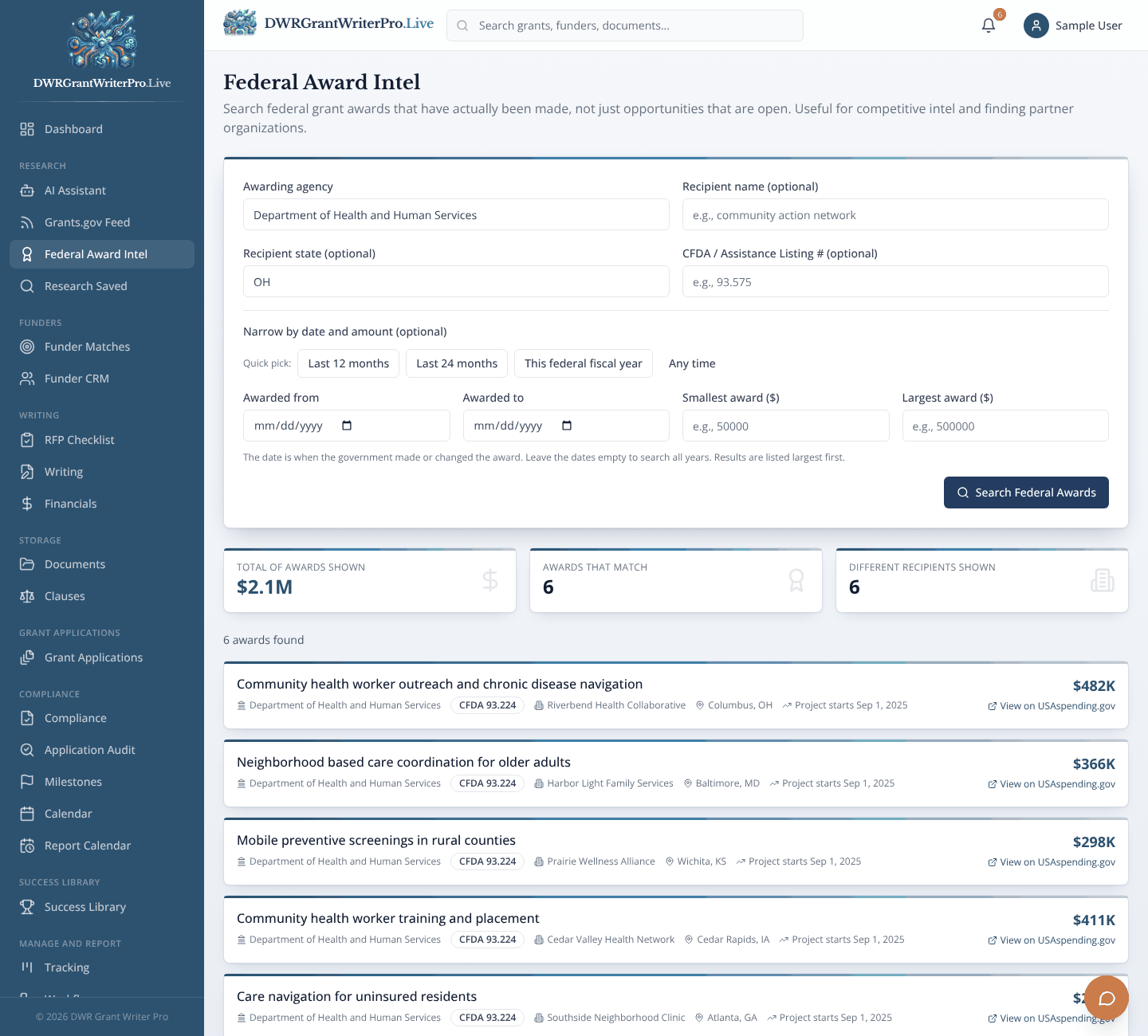
Federal Award Intel
Look up who has actually won federal awards, using public USAspending.gov data.
What you can do
- Search by agency, recipient, state or assistance listing number
- Totals for amount awarded, number of awards and distinct recipients
- Links to the full record on USAspending.gov
Why it matters
See what agencies really pay for, and which organizations win, before you apply.
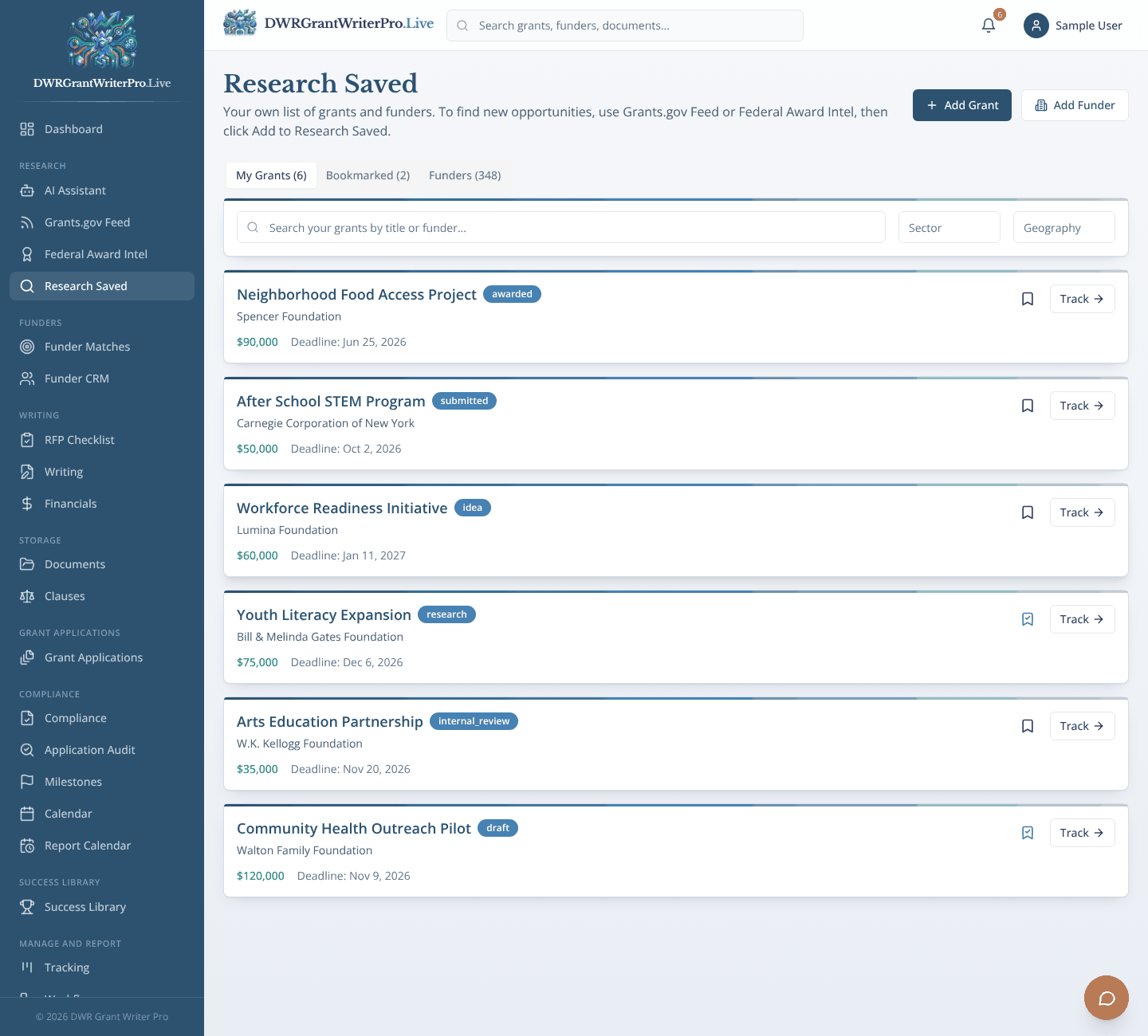
Research Saved
Your short list of the grants and funders you are considering.
What you can do
- Everything you saved from the AI Assistant and the Grants.gov Feed lands here
- Search grants by sector and geography
- Add a grant or a funder by hand
- One click to track a grant
Why it matters
Your short list lives in one place instead of in browser tabs and sticky notes.
Funders
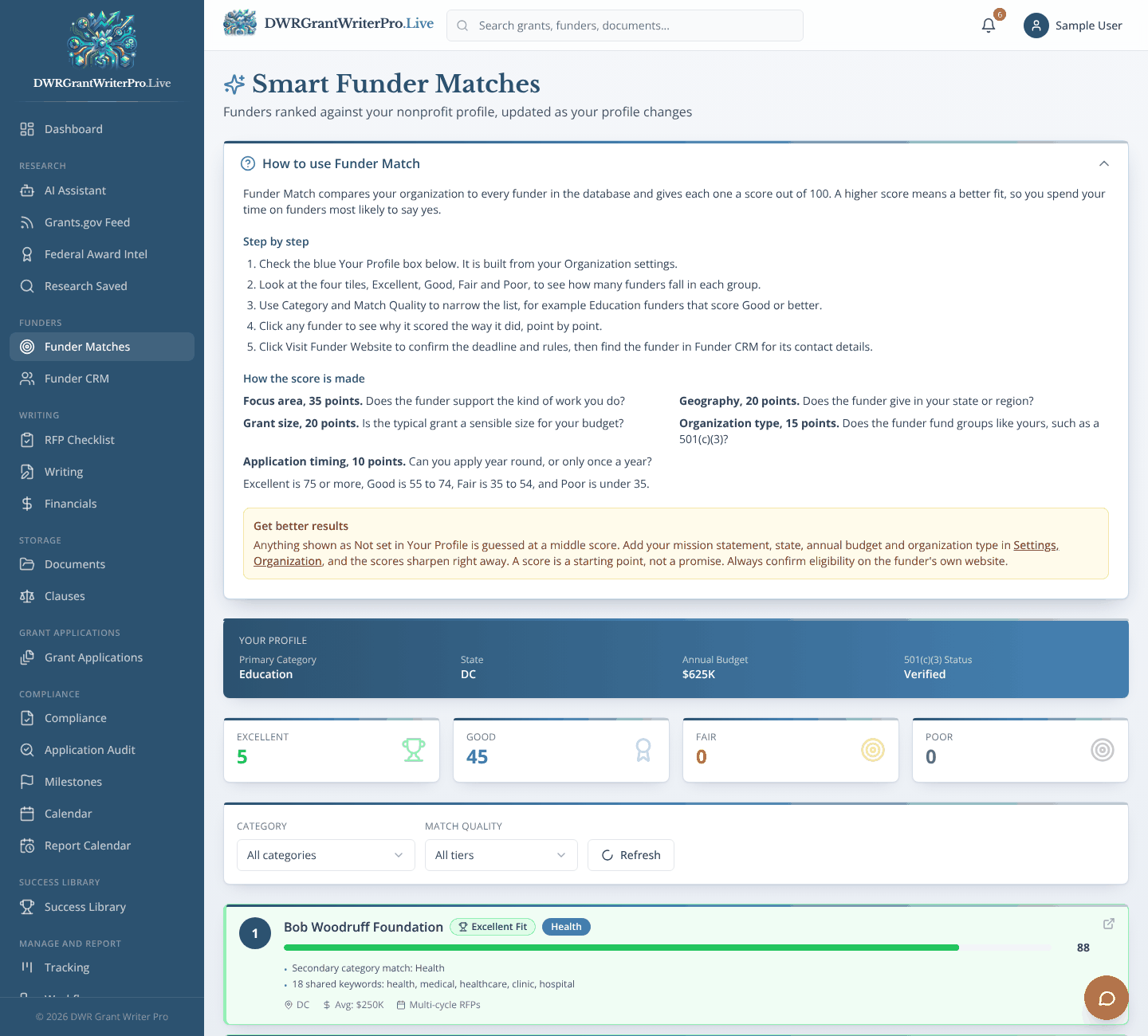
Funder Matches
Ranks funders against your organization’s profile.
What you can do
- A score out of 100 built from focus area, location, grant size, organization type and application cycle
- Tiers from Excellent to Poor
- A breakdown that shows why each funder ranked where it did
- Filter by category and match quality
Why it matters
Spend your time on funders most likely to be a fit.
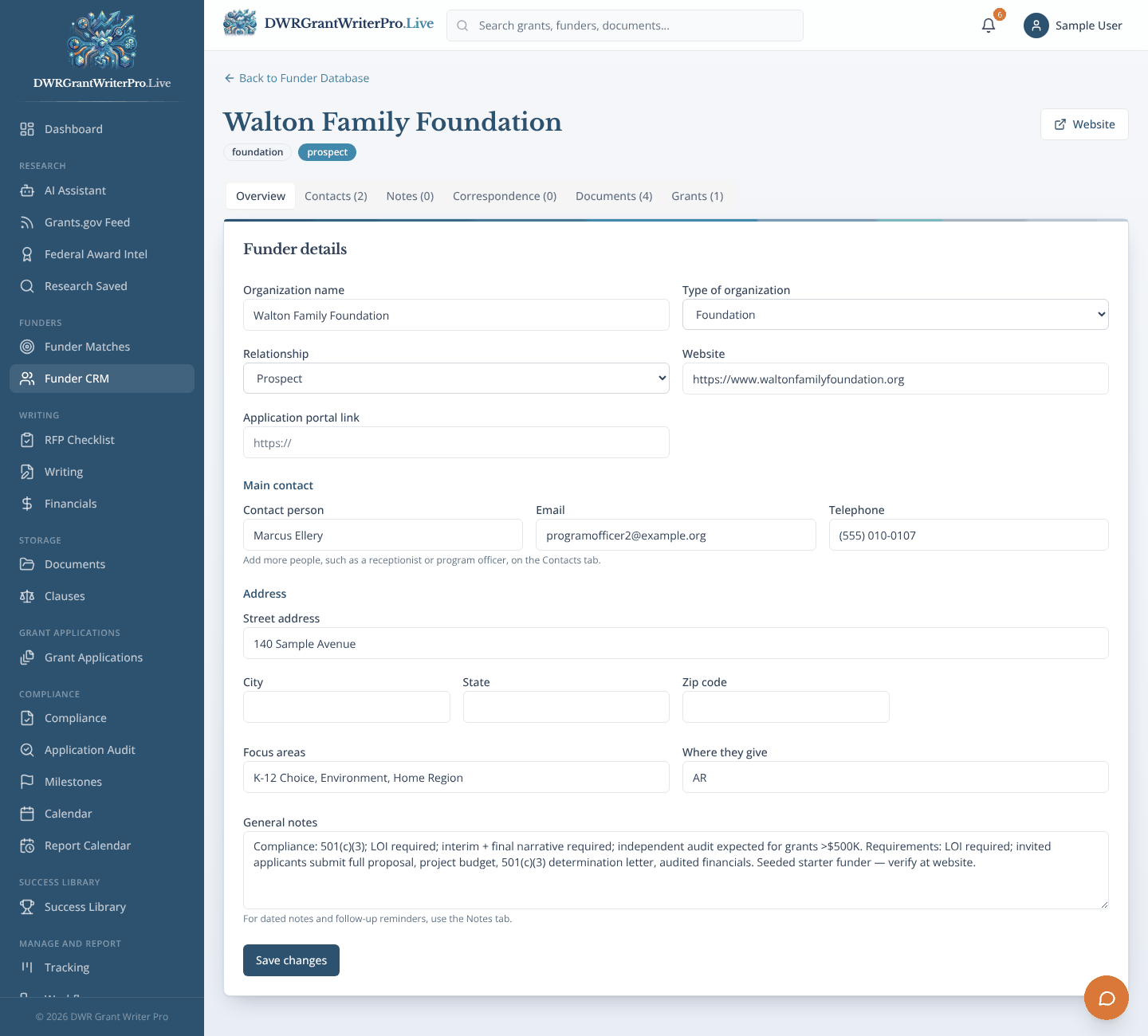
Funder CRM
A funder database and relationship tracker, with one record for each funder.
What you can do
- Name, address, website, application portal link and main contact
- More than one contact for a funder, for the times different people handle different grants
- Tabs for notes, correspondence, documents and the grants tied to that funder
- On each grant: its application number, the contact who handles it, links to its RFP Checklist, Grant Application and saved documents, and its own notes and updates
- Search and filter by category, type, grant size, location and application cycle
- Import your own funder list, and log calls, emails and meetings
Why it matters
Funder relationships stop living in one person’s memory. Always confirm details on the funder’s own website.
Writing
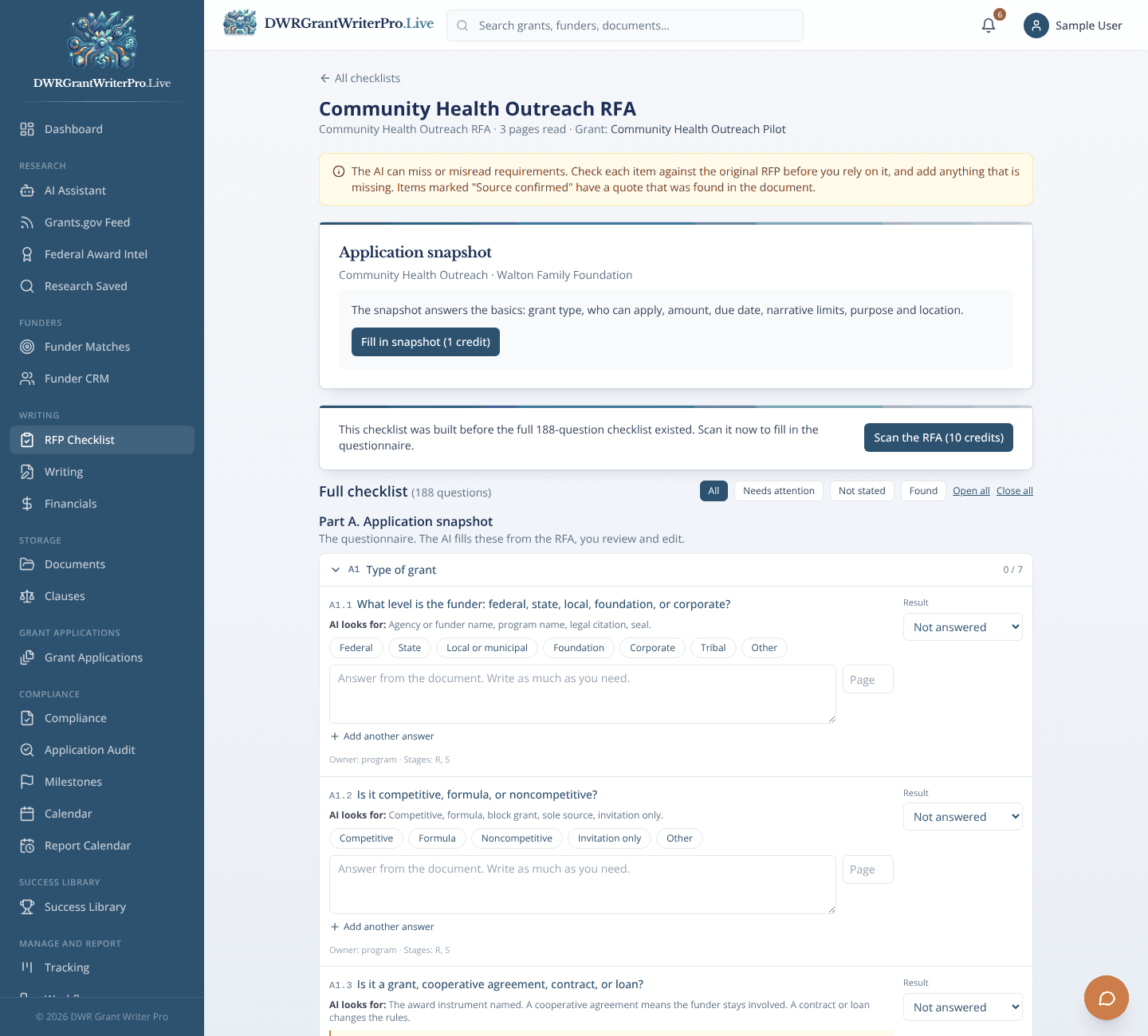
RFP Checklist
Turns an RFP, RFA or funding announcement into a checklist of what your application must include.
What you can do
- Upload a PDF or Word file, pick one from Documents, or paste the text
- Requirements grouped by eligibility, deadlines, required sections, limits, attachments, budget rules and scoring
- Every item points to the page it came from, with a quote you can check
- Tick items off, edit them and add your own, with progress for the whole team
- Ask questions about the announcement and get answers cited from that document only
- Approve the checklist, then pick what is due and when: milestones go on the Calendar with the funder and Grant ID, Tracking dates fill in, and your workflows run
Why it matters
Know exactly what the funder wants before you start writing, and miss fewer requirements. The AI can miss or misread items, so check the checklist against the original.
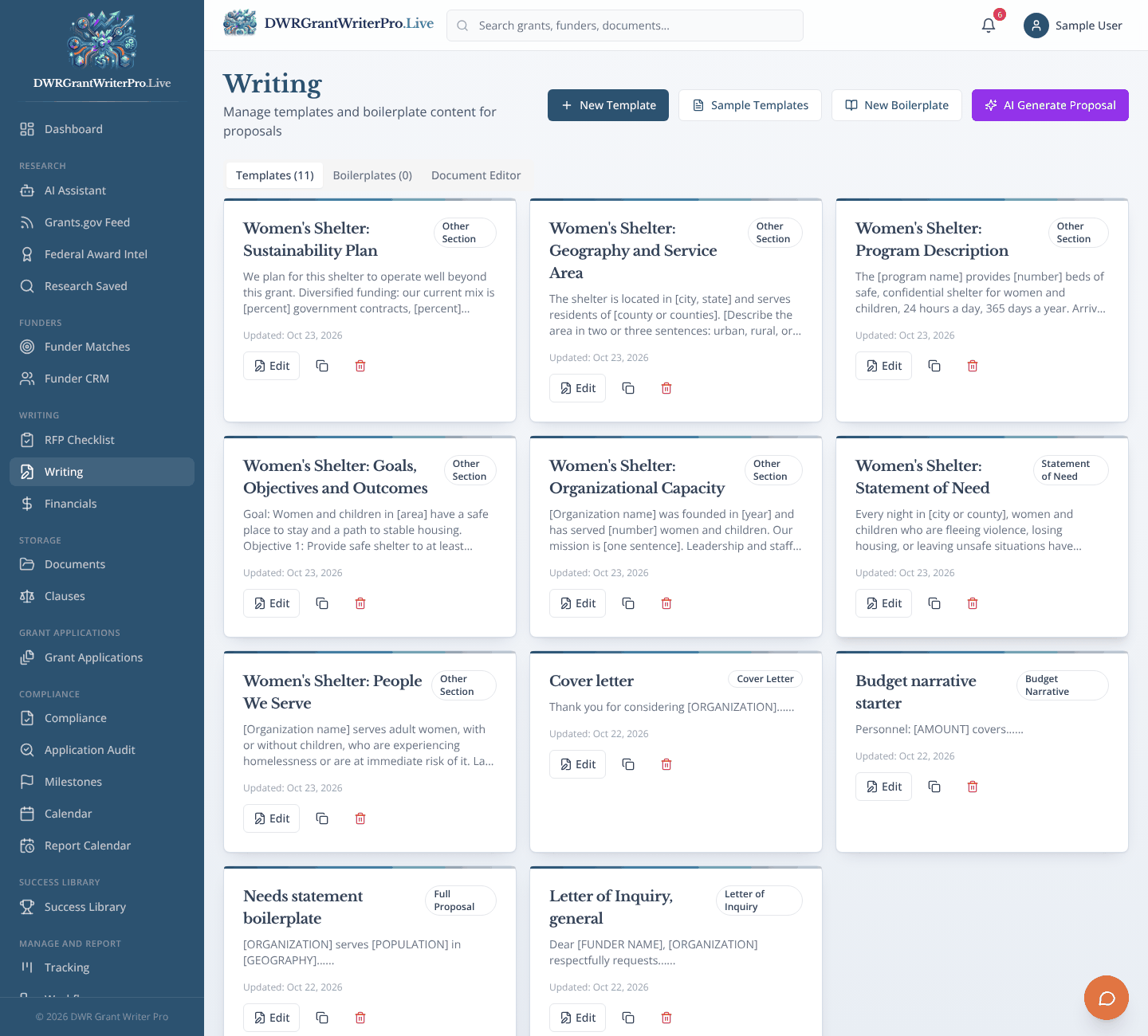
Writing
Templates, boilerplate and AI drafts for proposal sections.
What you can do
- Templates for letters of inquiry, proposals, budget narratives and cover letters
- A full text editor: fonts, sizes, bold, italic, underline, alignment, line spacing and lists
- Add pictures such as maps and photos, and choose their size and position
- Download as Word, or save to Documents under the funder and grant
- A boilerplate library of approved text, and AI drafts of sections such as the needs statement
Why it matters
Get a strong first draft in minutes, then spend your time improving it. Drafts always need your review.
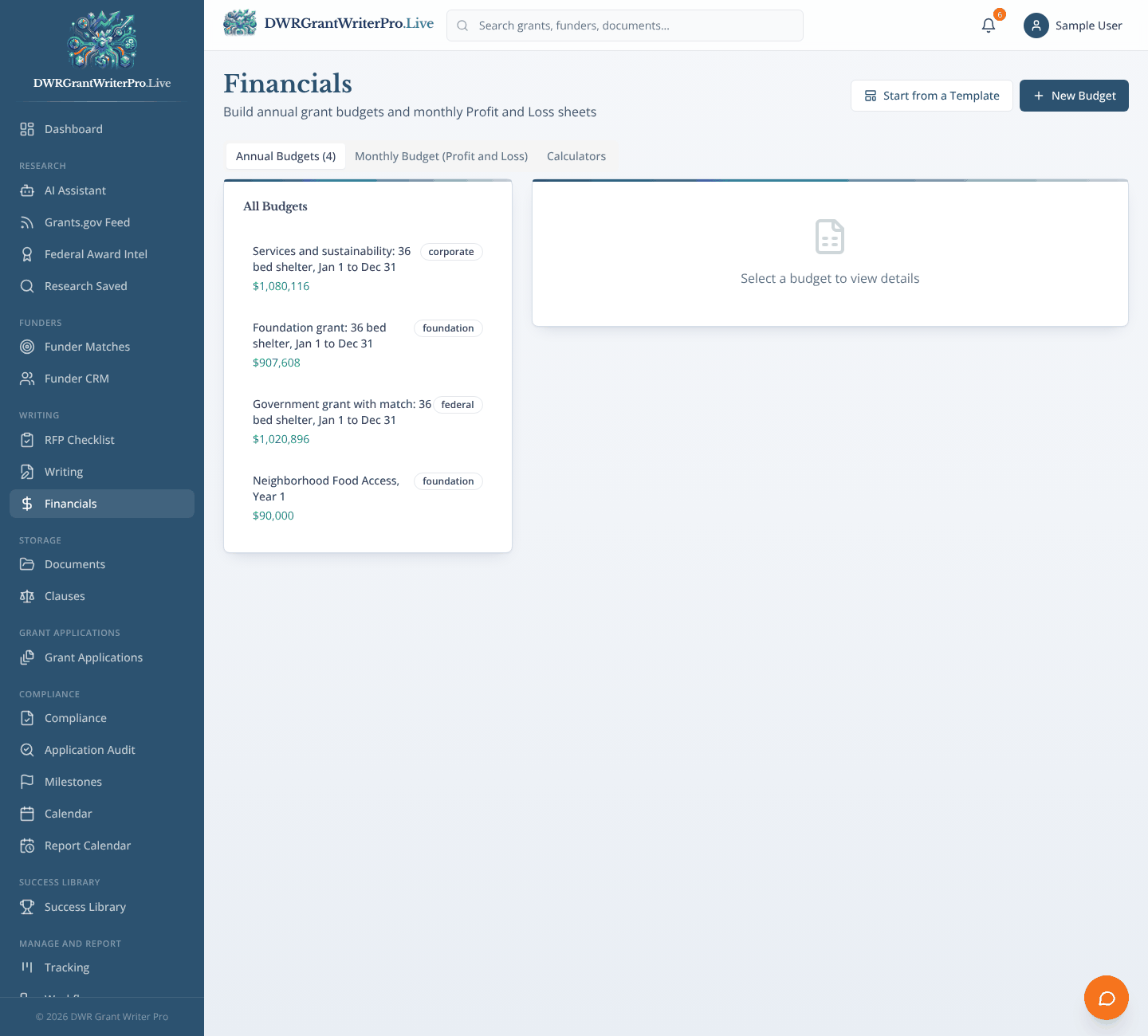
Financials
Grant budgets and monthly profit and loss sheets, with matching funds.
What you can do
- Annual grant budgets with line items such as personnel, supplies and other direct costs
- Monthly budget (Profit and Loss) sheets
- Direct and indirect cost totals and matching funds
- Calculators for common budget math
Why it matters
A budget that matches your narrative, built where the rest of the application lives.
Storage
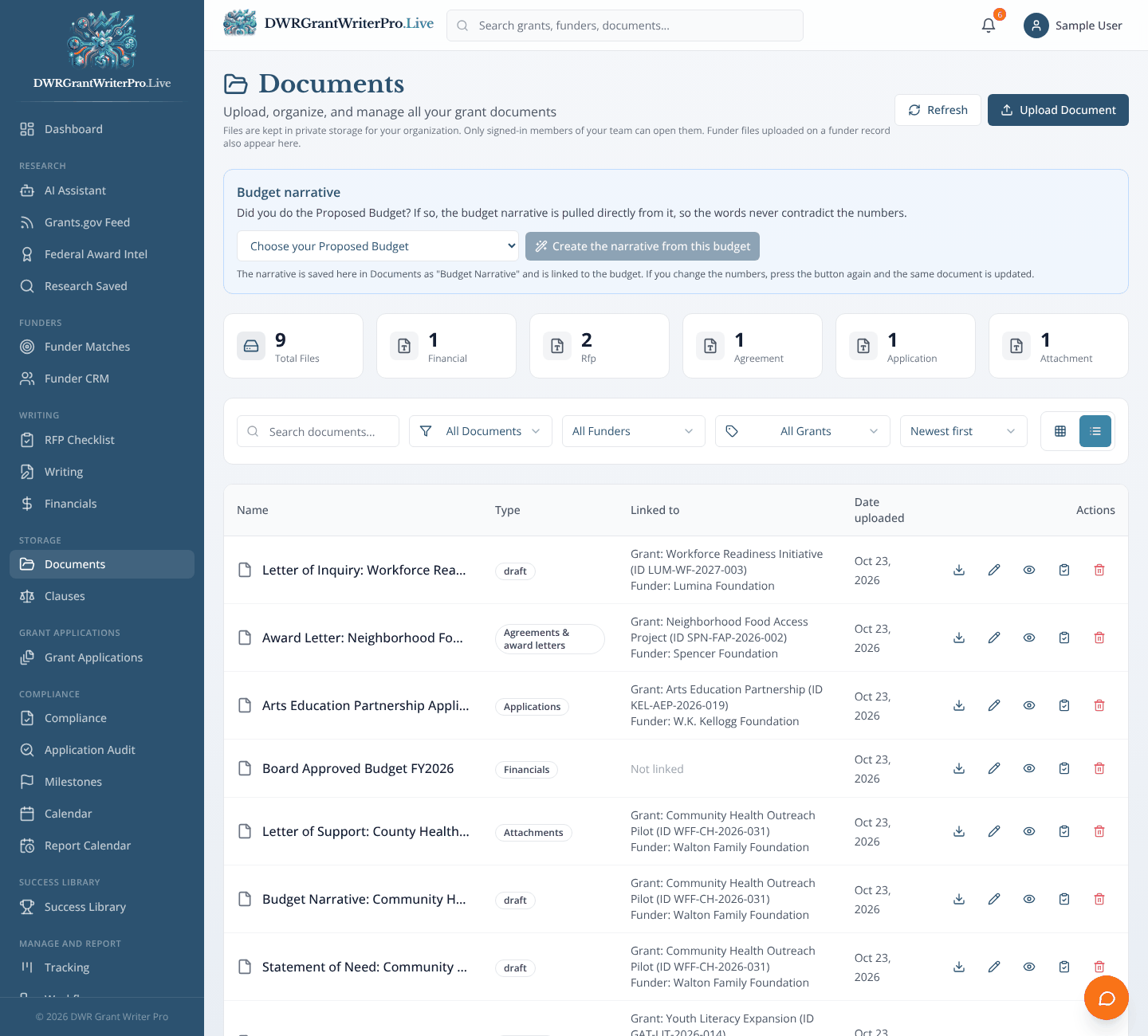
Documents
Store files and link each one to its funder and grant.
What you can do
- Every file carries a funder name, grant application and Grant ID
- Filter by funder, grant or document type, and sort by newest
- A budget narrative built straight from your proposed budget
- Upload, comment with @mentions, and keep a history of changes
Why it matters
One place for every file, easy to find because it is filed under the funder and the grant.
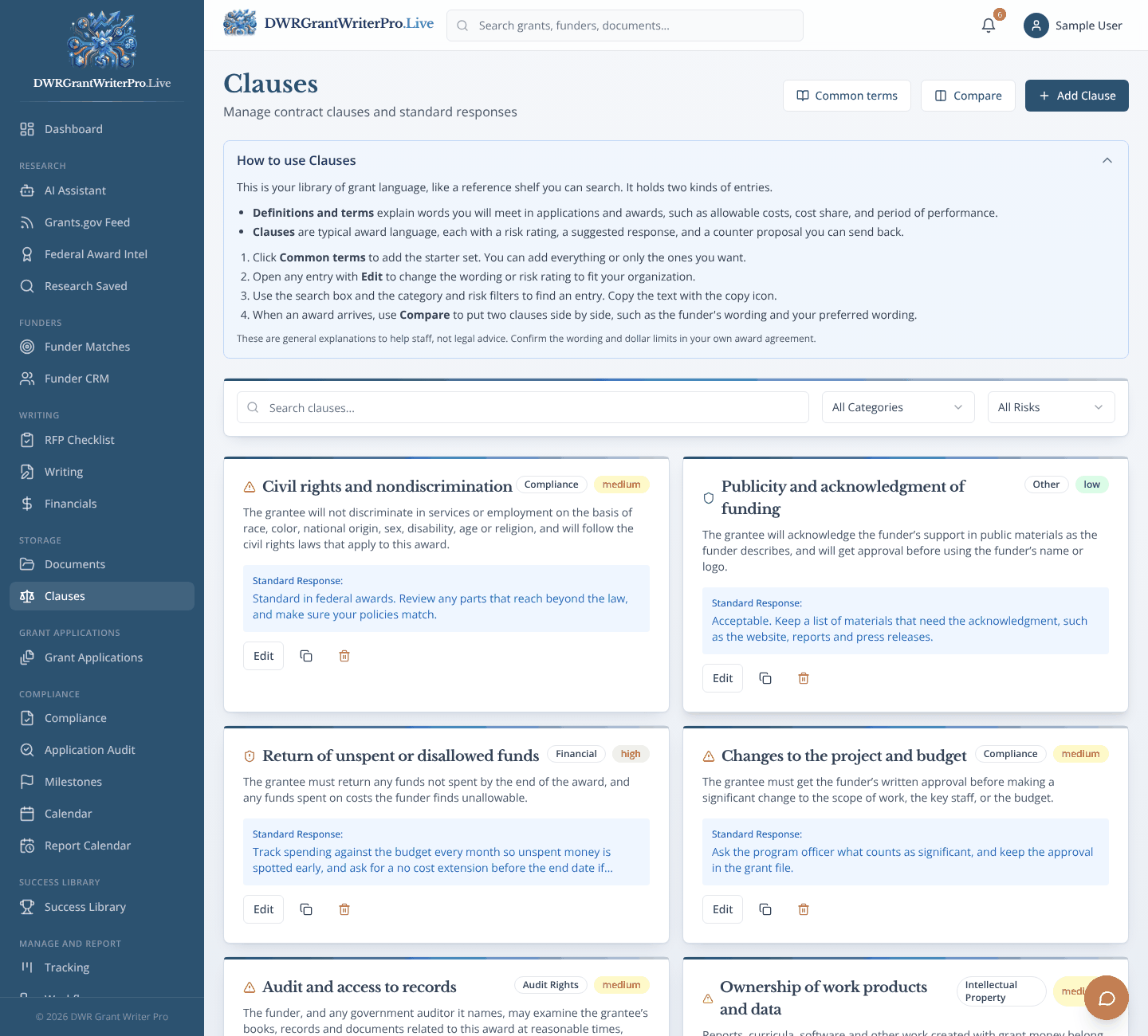
Clauses
A clause library with risk ratings for grant terms.
What you can do
- Clauses sorted by category, such as audit rights, termination and reporting
- Low, medium and high risk ratings
- Side by side comparison
- Add your own standard responses
Why it matters
Risky terms get noticed before they are signed, not after.
Grant Applications
Grant Applications
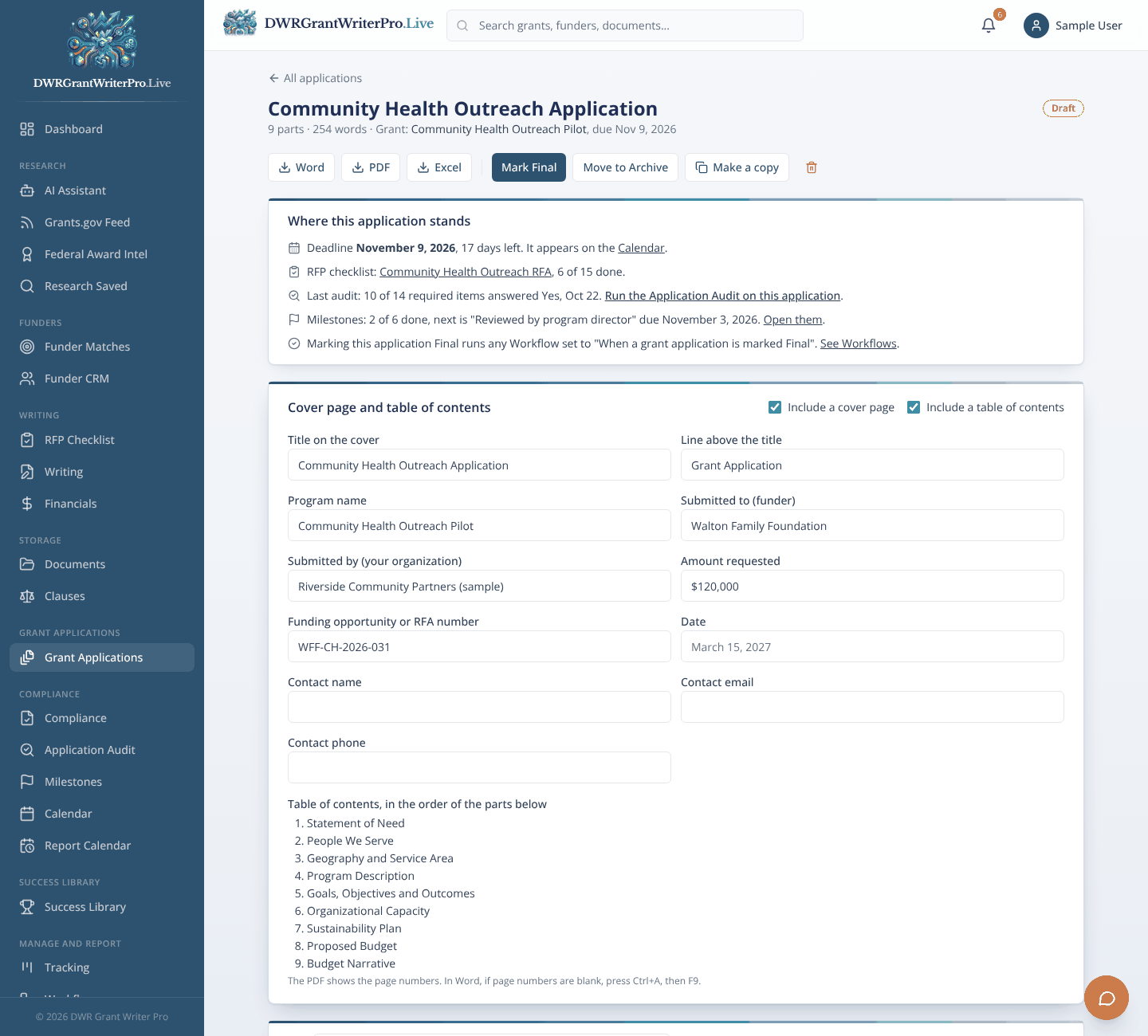
Where each application is put together: start a new one or pick up a pending draft.
What you can do
- Tabs for New, Pending, Final and Archive applications
- A cover page and table of contents built for you
- Save as Draft, or mark Final when it is ready for checking
- Download as Word, PDF or Excel, make a copy, or move to the Archive
- A status panel showing the deadline, RFP checklist progress, last audit and milestones
Why it matters
One application, one page, with everything you need to know about where it stands.
Compliance
Compliance
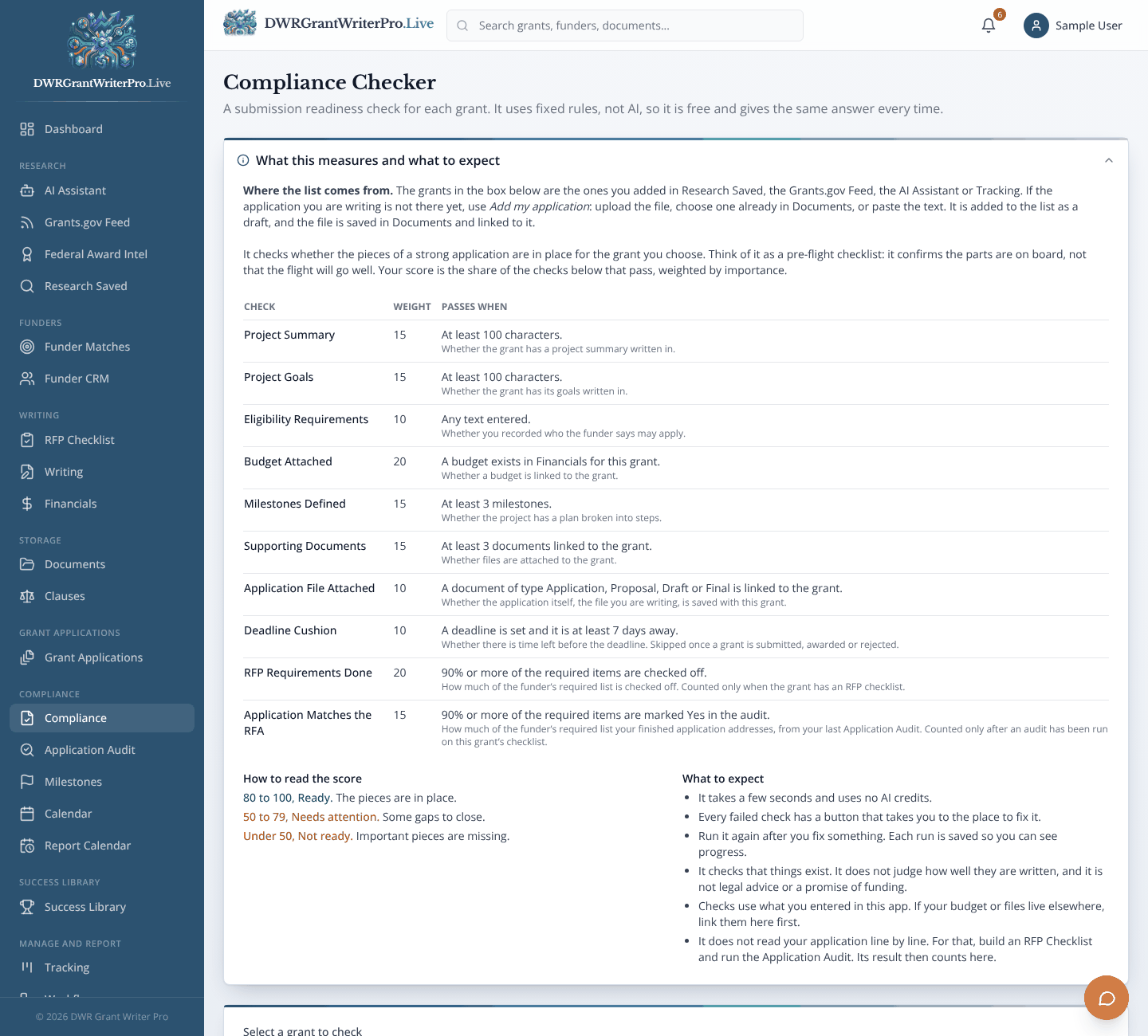
A readiness check for any grant before you submit.
What you can do
- A readiness score from 0 to 100
- Fixed rules, not AI, so it is free and gives the same answer every time
- Checks such as project summary, goals, budget, milestones, documents and deadline cushion
- Plain recommendations for each gap
Why it matters
Find the missing pieces while there is still time to fix them.
Application Audit
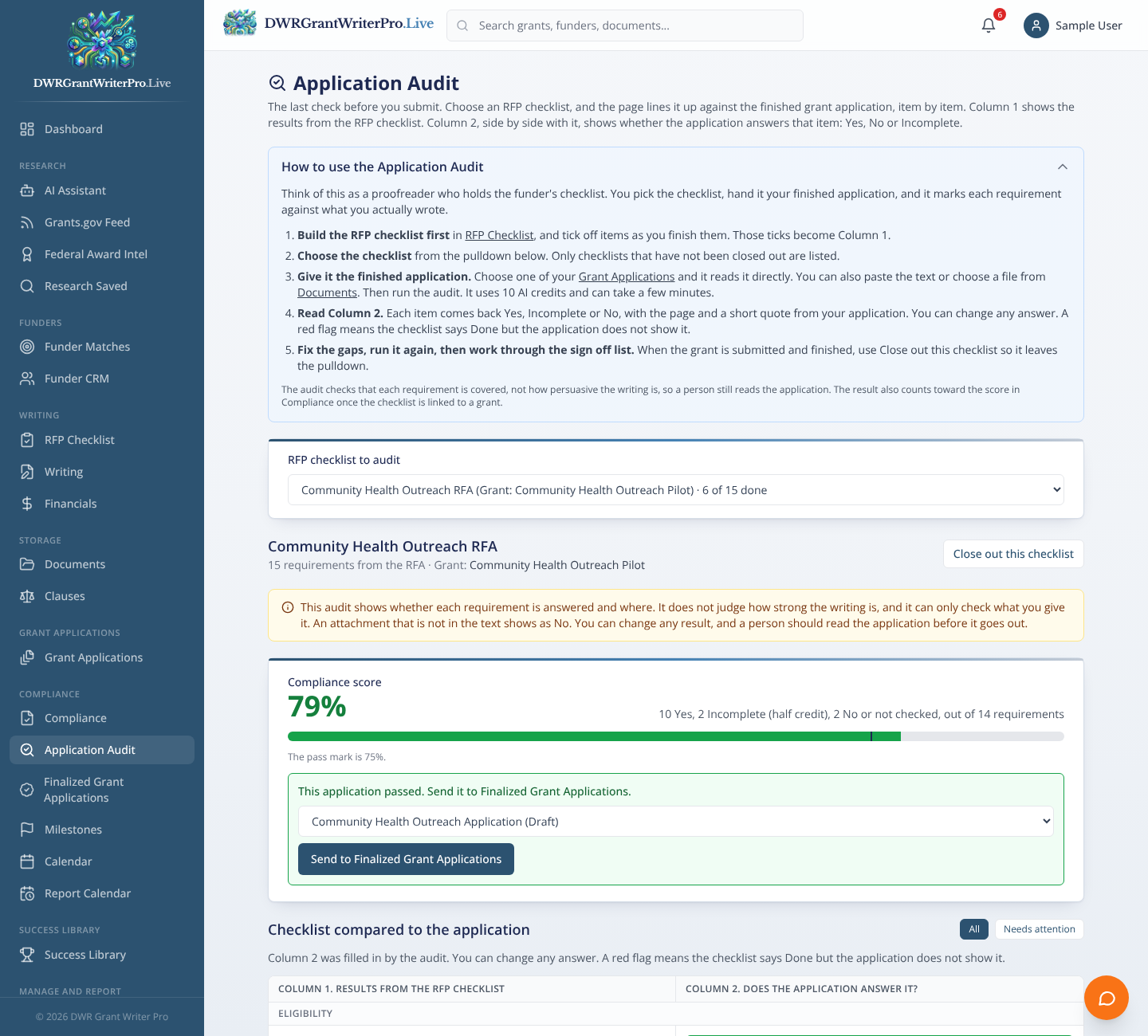
A final check that compares your finished application to every requirement in the RFA before you submit.
What you can do
- Each RFA requirement is compared side by side with your RFP checklist and comes back Yes, Incomplete or No
- The page and quote from your application as proof
- A compliance score out of 100, with a 75 percent pass mark: a pass sends the application on, and a miss shows what to fix
- Checks for word and page limits and the deadline
- A sign-off list for authority, board approval and registrations, ending in a Ready to submit message
Why it matters
Catch what is missing while there is still time to fix it.
Finalized Grant Applications
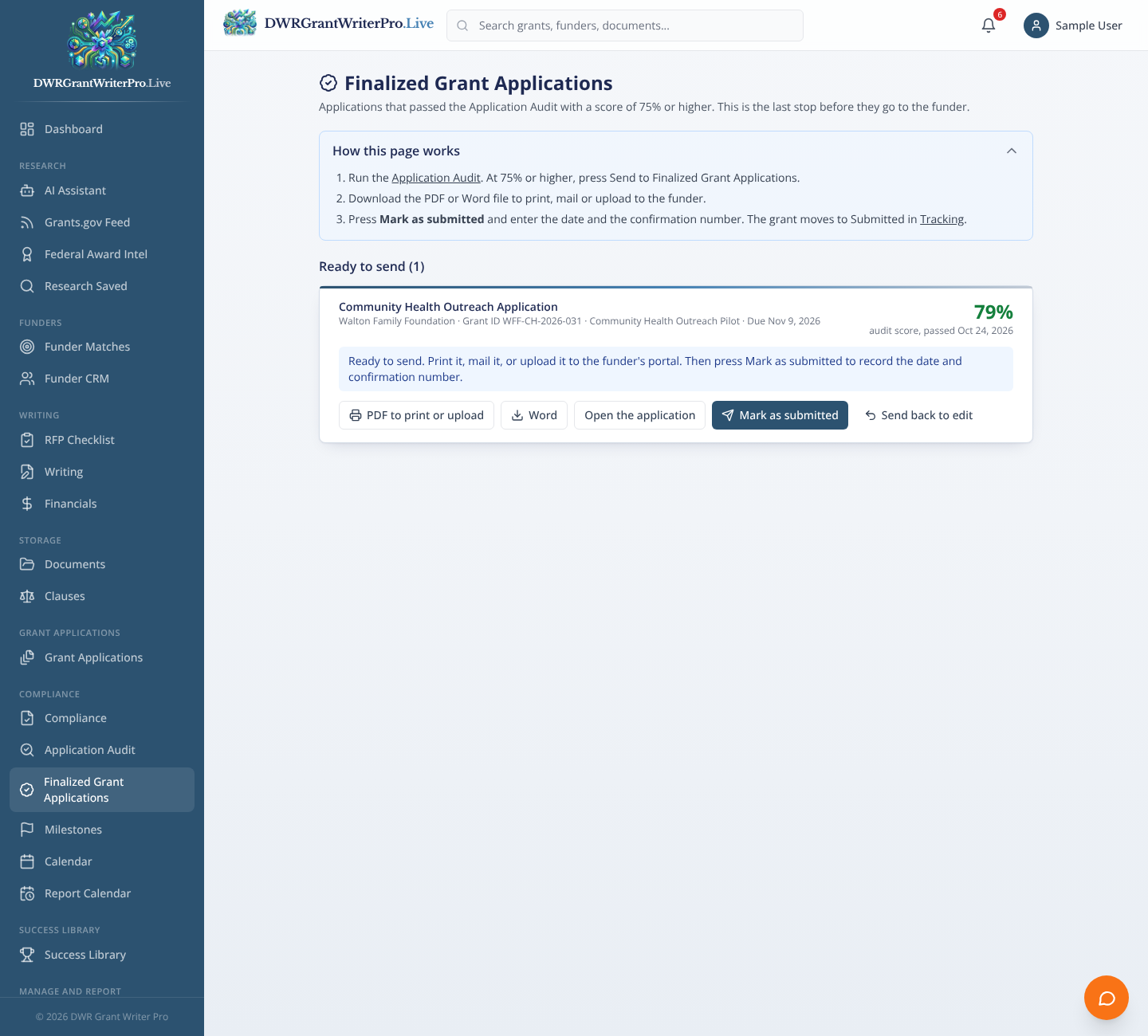
The applications that passed the audit with 75 percent or higher, ready to send to the funder.
What you can do
- An application lands here only after it passes the Application Audit at 75 percent or higher
- Download a PDF to print or upload, or a Word file
- Mark as submitted with the date and confirmation number, and the grant moves to Submitted in Tracking
- Send an application back to edit, then audit it again
Why it matters
Only applications that meet the bar reach the funder, and every submission is on record with its confirmation number.
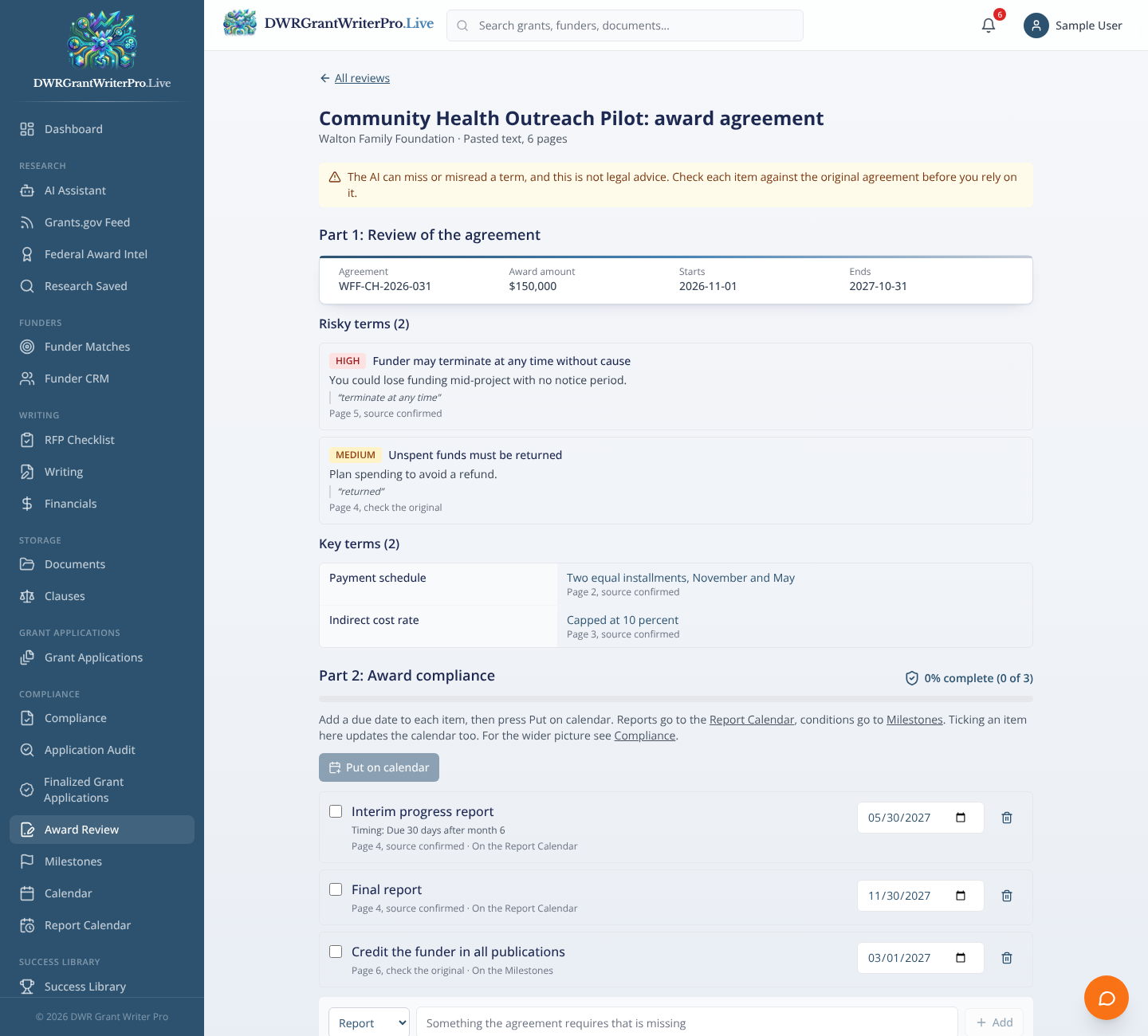
Award Review
Reads the award agreement, flags risky terms, and turns what the grantee must do into a checklist with due dates.
What you can do
- Upload the award agreement or paste its text and pick the grant
- Key terms listed with the page they came from, and risky clauses flagged against your Clause Library
- Reporting duties and special conditions become an award compliance checklist with a percentage done
- Put dated duties on the Report Calendar and Milestones in one press
Why it matters
You know what you signed, what is risky, and what is due, before the first report is late.
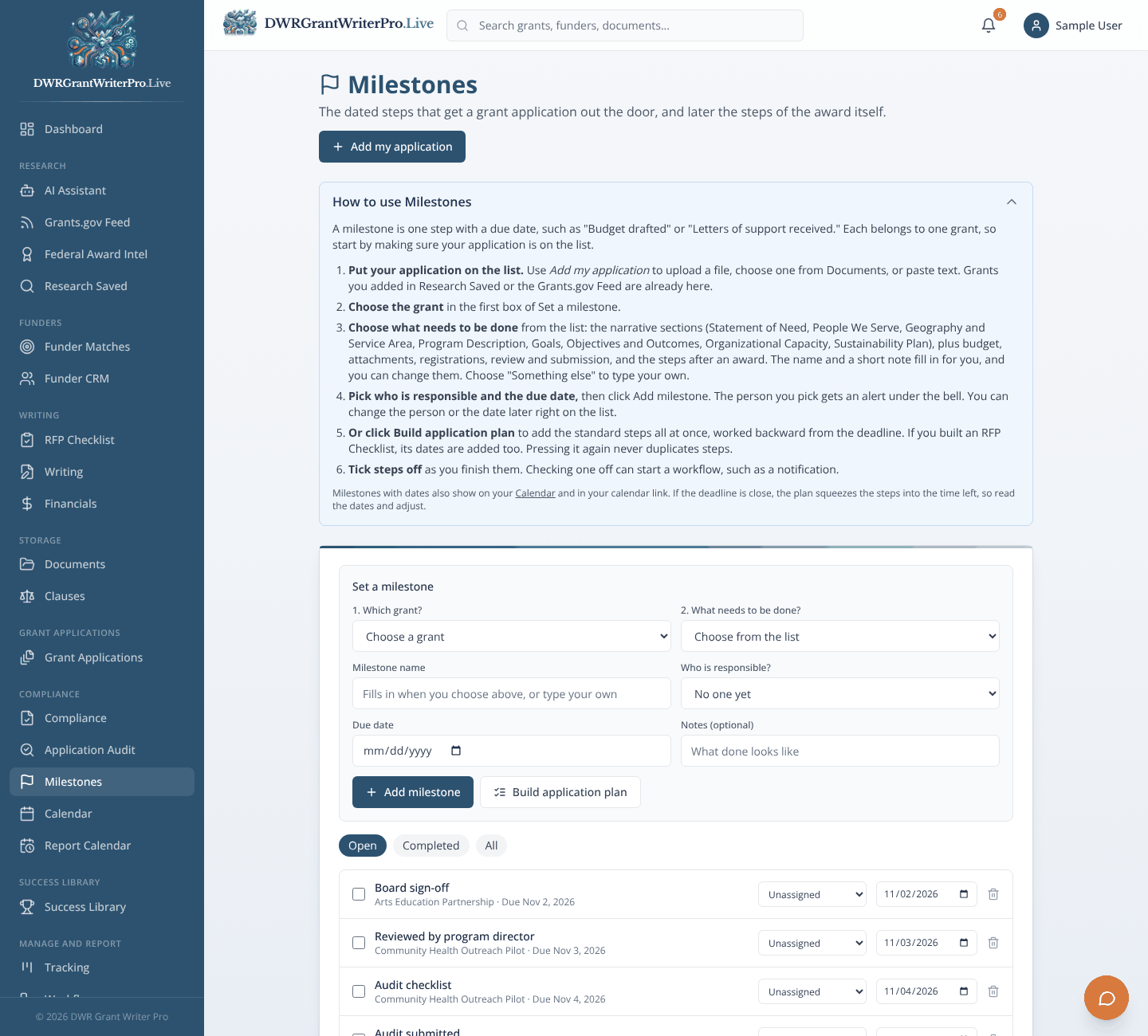
Milestones
The dated steps that get an application out the door, and later the steps of the award itself.
What you can do
- Choose the grant, then what needs to be done: narrative sections, budget, letters of support, review and submission
- Name the person responsible, who gets an alert
- Build an application plan that works backward from the deadline
- Tick steps off as you finish them, and let a workflow react
Why it matters
Everyone knows what is due, who owns it and when.
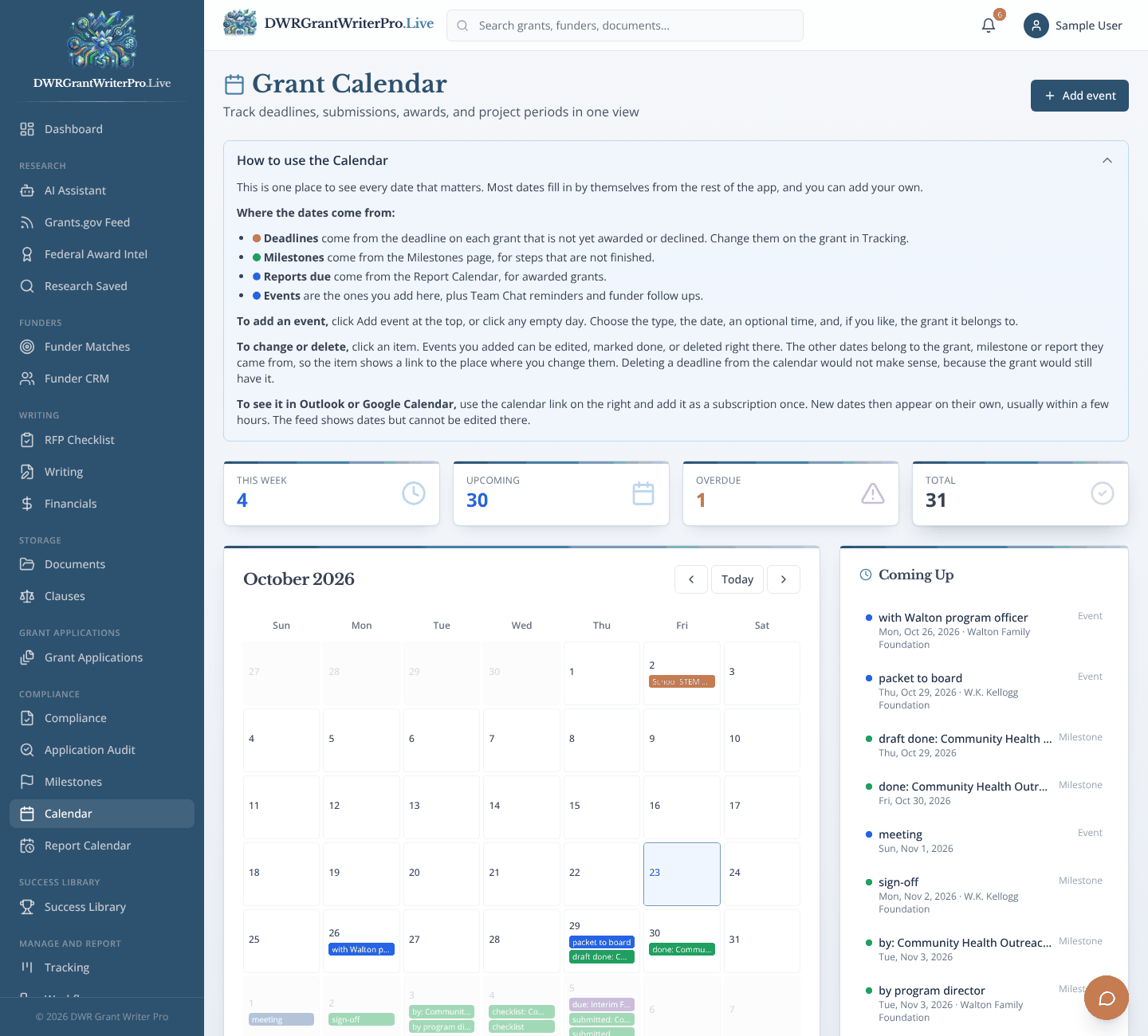
Calendar
Deadlines, milestones and events in one calendar.
What you can do
- Month view of deadlines, milestones, report dates and your own events
- Each date shows the funder, the Grant ID and what is due
- Subscribe from Google Calendar, Apple Calendar or Outlook
Why it matters
Fewer missed deadlines.
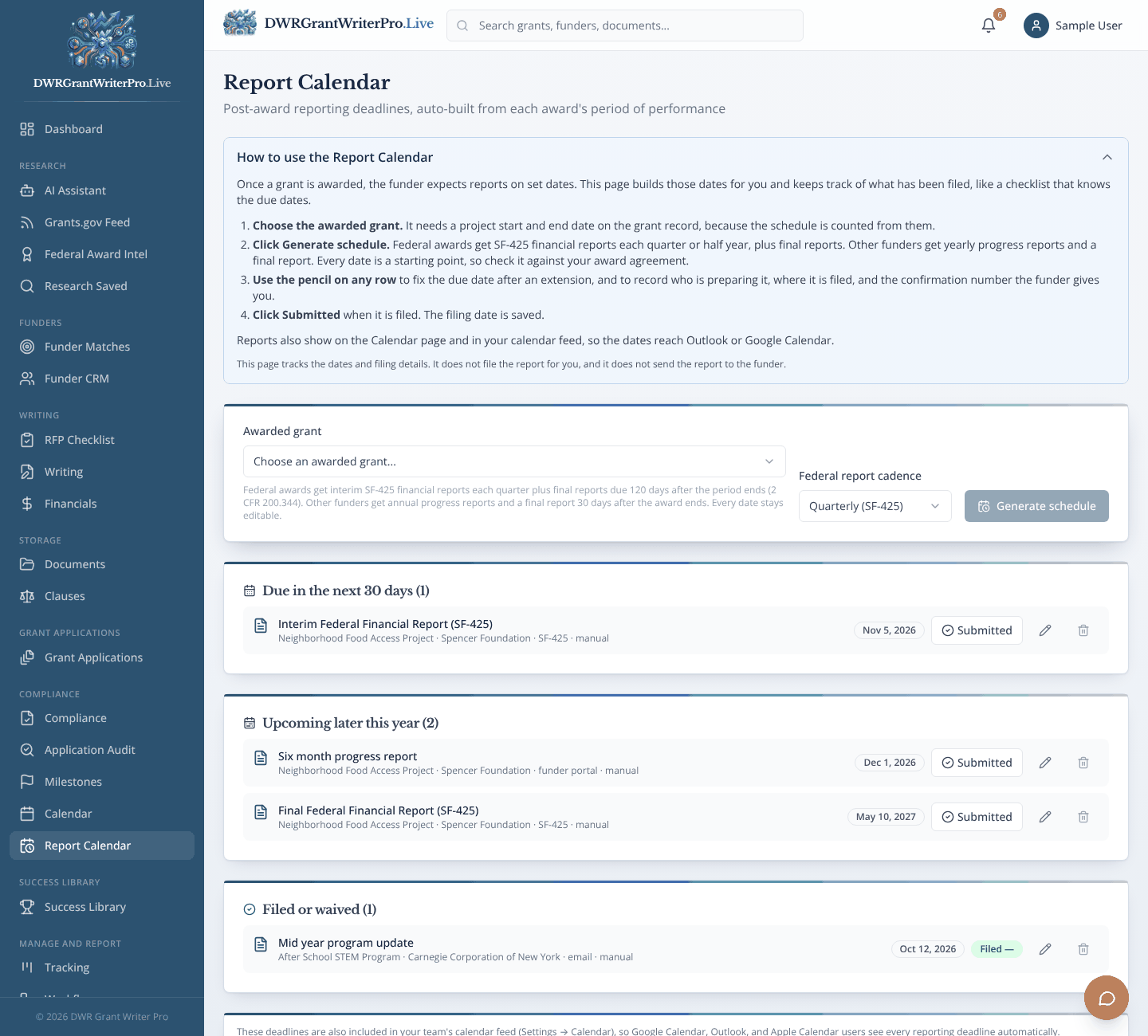
Report Calendar
Builds funder reporting schedules from each award.
What you can do
- Generate a schedule from your award dates, including federal report formats such as SF-425
- Lists for reports due soon and later this year
- Mark a report submitted or waived
Why it matters
Most tools stop at "you won." This one helps you keep the money after you win.
Success Library
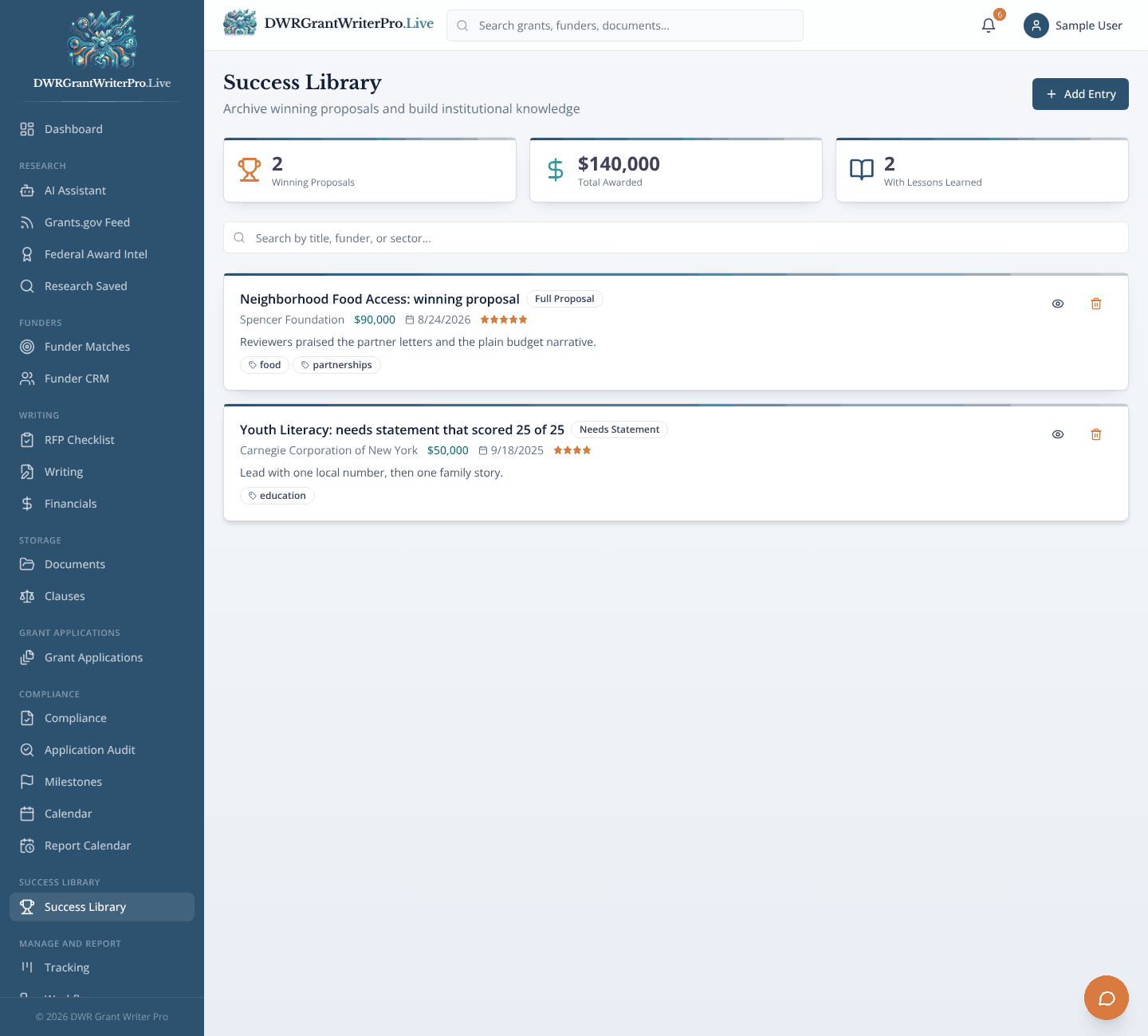
Success Library
A library of your winning proposals and what you learned from them.
What you can do
- Save a proposal with funder, year and award amount
- Star ratings, tags and lessons learned
- Search by title, funder or sector
Why it matters
Past wins stay useful, so you stop rewriting the same paragraphs.
Manage and Report
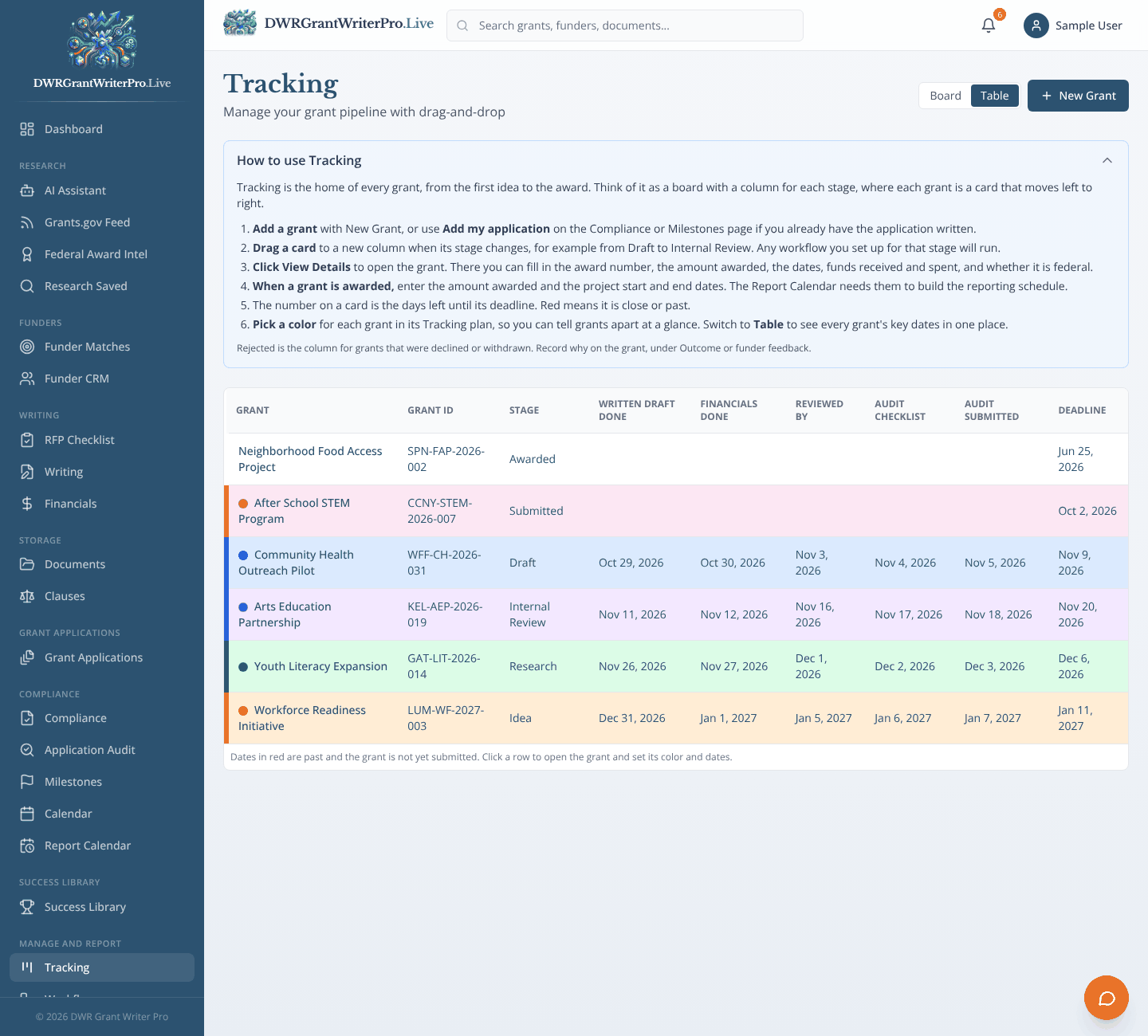
Tracking
A board and a table that follow each grant from idea to award.
What you can do
- Board view with a column for each stage, and drag and drop to move a grant
- Table view with five dates per grant: draft done, financials done, reviewed by, audit checklist and audit submitted
- A color for each grant, chosen from five, so you can tell them apart at a glance
- Grant name and Grant ID on every row
Why it matters
See your whole pipeline at a glance, and spot what is stuck.
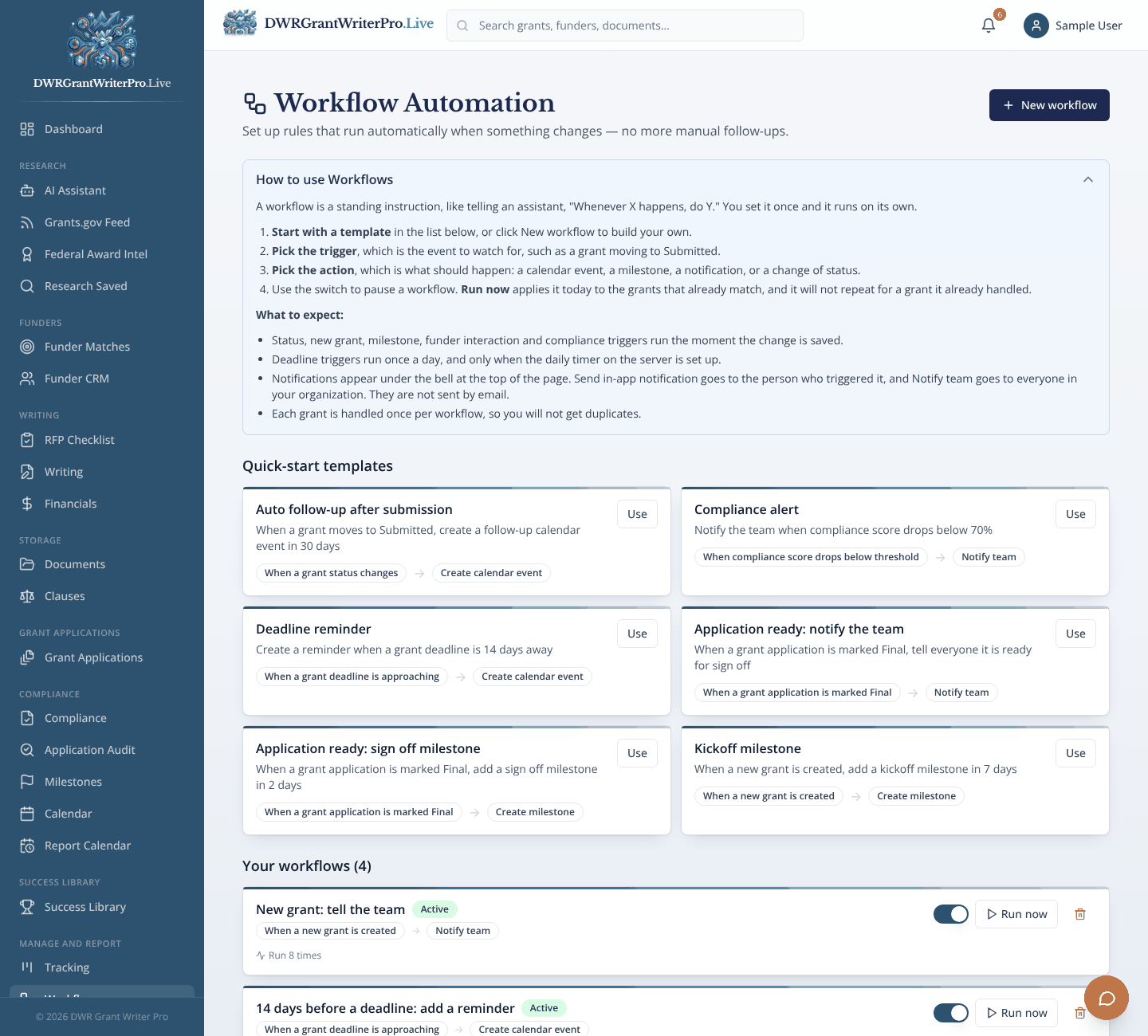
Workflows
Simple "if this, then that" rules.
What you can do
- Quick start templates, such as a follow up reminder after submission
- Rules that create calendar events or milestones
- Notify your team when a score drops
Why it matters
Fewer manual follow ups and fewer missed steps.
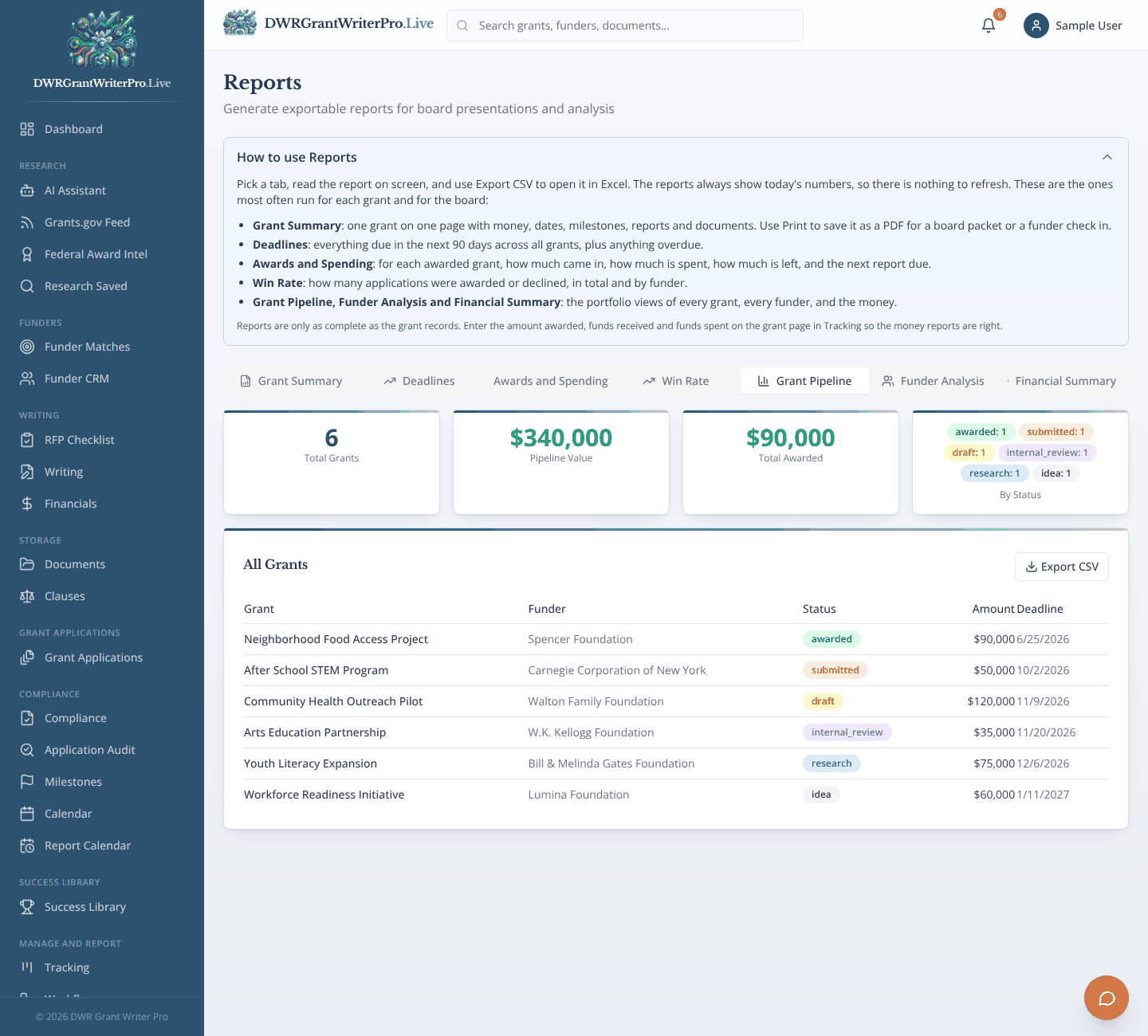
Reports
Pipeline, funder and financial reports.
What you can do
- Grant summary, deadlines, awards, win rate, pipeline, funder analysis and financial summary views
- Totals for pipeline value and amount awarded
- Print or export to CSV
Why it matters
Show a board or a funder real numbers.
Analytics
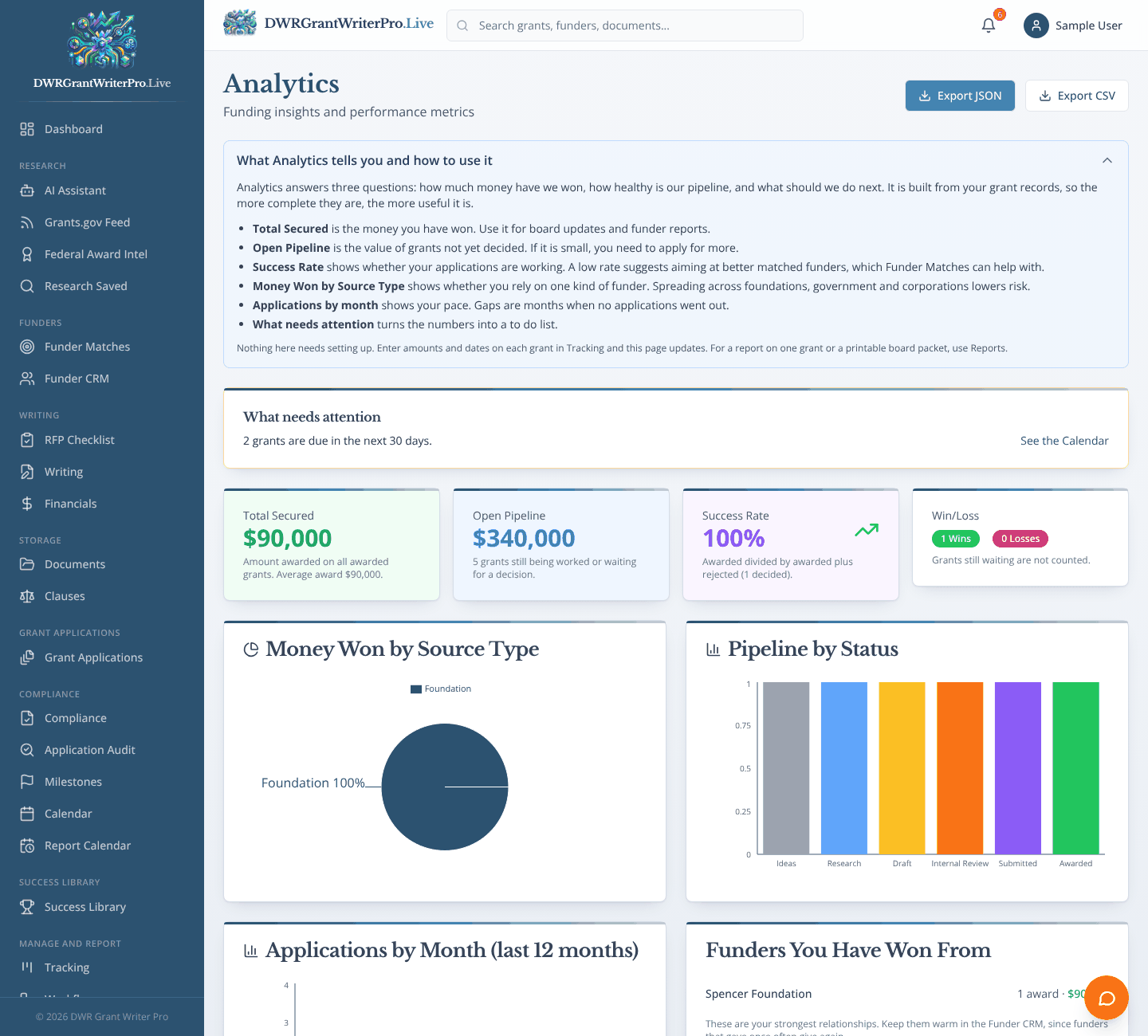
Win and loss rates, funding by source and pipeline trends.
What you can do
- Funding secured, pipeline value and success rate
- Funding by source type and pipeline by status
- Export to CSV or JSON
Why it matters
See what is working so you can do more of it.
Chat
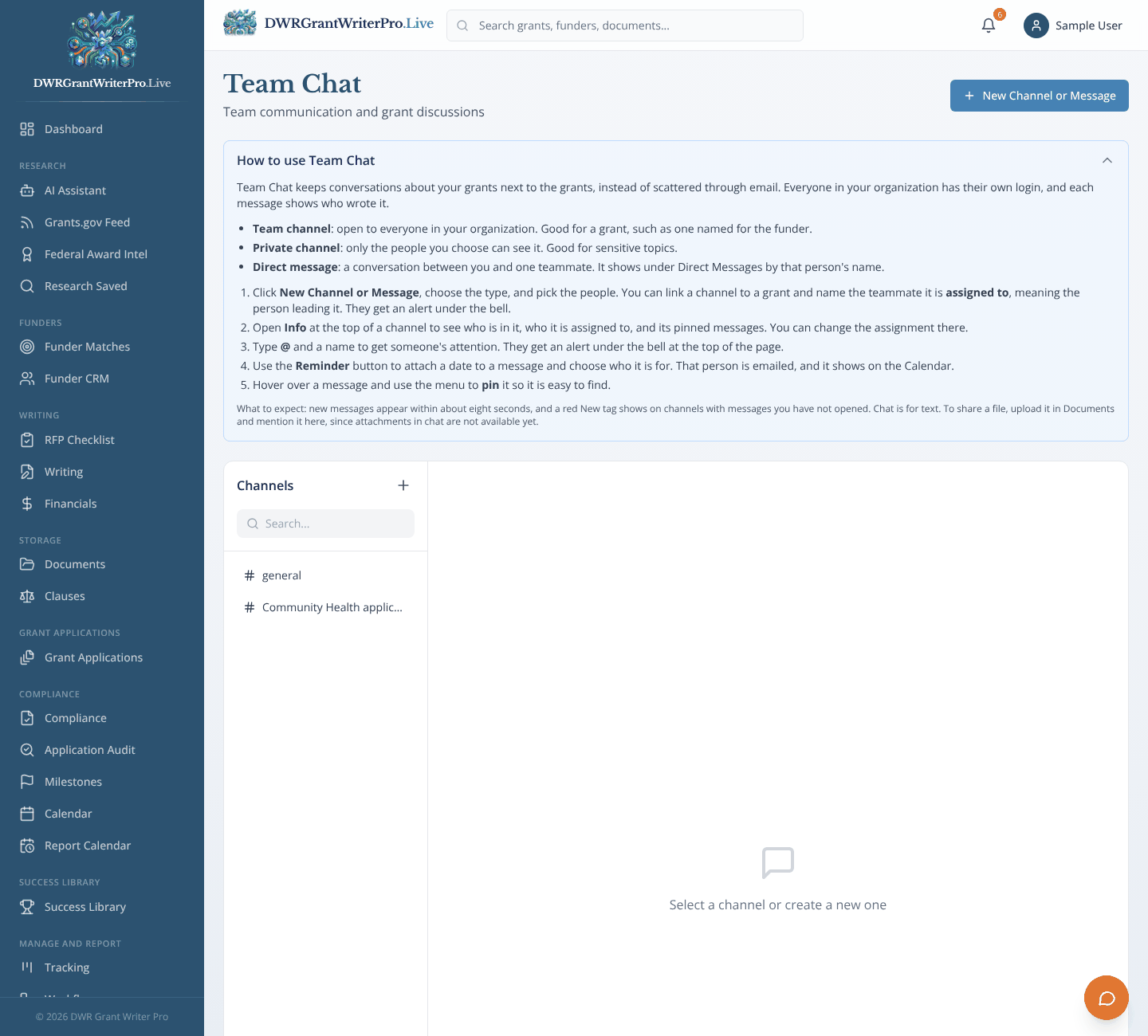
Team conversations kept inside the platform.
What you can do
- Channels and direct messages, linked to a grant if you like
- @mention a teammate and they get an alert
- Messages stay with your team’s data
Why it matters
Grant conversations live next to the grants, not scattered across other apps.
Settings
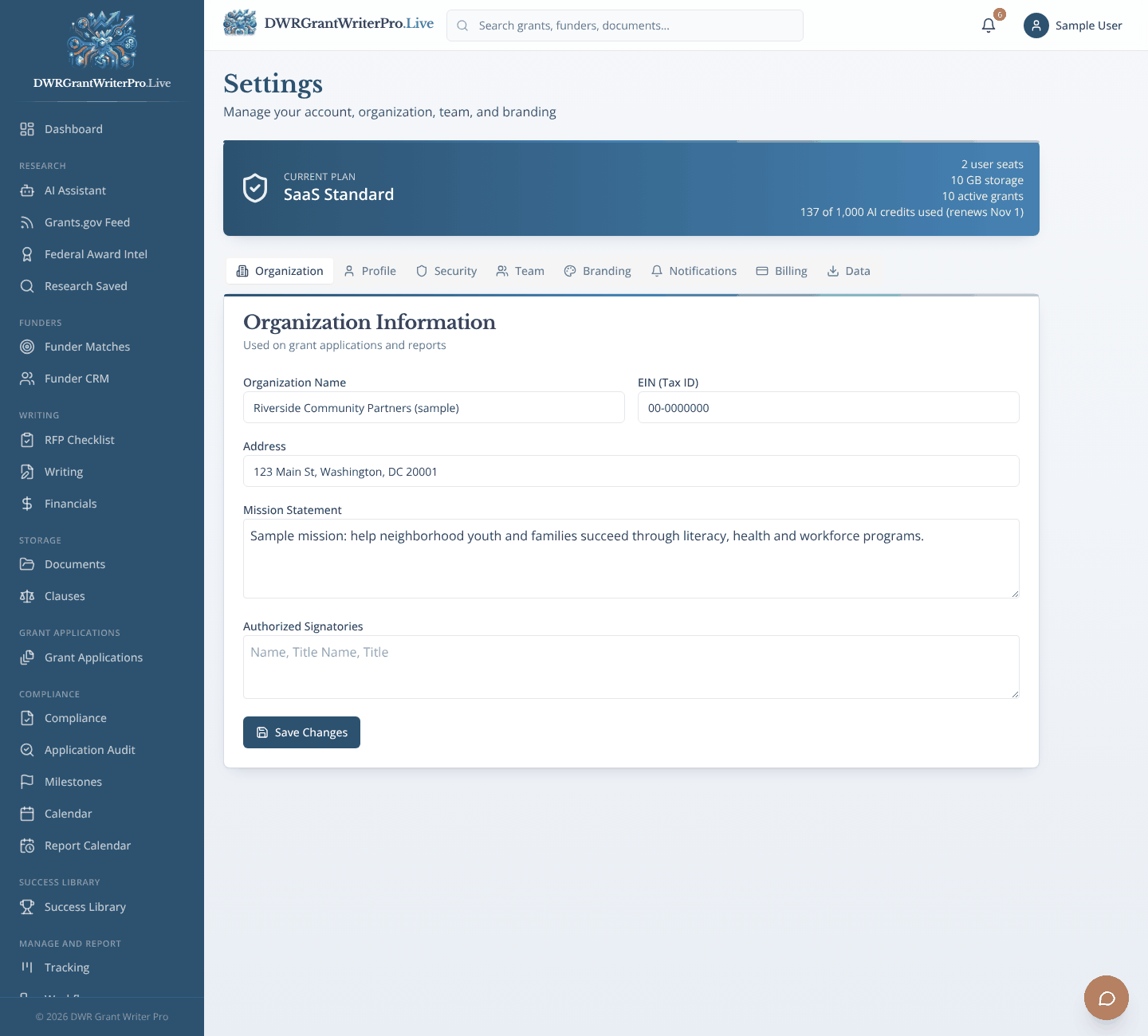
Your organization, team, branding and billing.
What you can do
- Organization details and mission statement
- Team invitations
- Branding
- Use your own AI provider key, stored encrypted, so AI features run on your account
- Notifications, billing and data export
Why it matters
Set it up once, and every document and report starts from the right details.