
- 1ResearchFind open grants and see who gets funded.
- 2Match and Save FundersRate funders, then keep their details and contacts.
- 3Read the RFPTurn the announcement into a checklist.
- 4WriteDraft from templates and build the budget.
- 5OrganizeFile everything under the funder and grant.
- 6Build the ApplicationStart new or finish a pending draft.
- 7CheckCompliance score, then the Application Audit. Gaps found? Go back, edit, check again.
- 8SubmitPrint, mail or upload, then record it.
Want every feature of every module? See all 27 modules.
Step 1 of 8
Research
Find out who funds work like yours
What happens
Ask the AI Assistant, search live federal grants on the Grants.gov Feed, and look up past federal awards. Save what looks promising to Research Saved.
Why it matters
Like having a research assistant who checks every funding source every morning, so you do not have to.
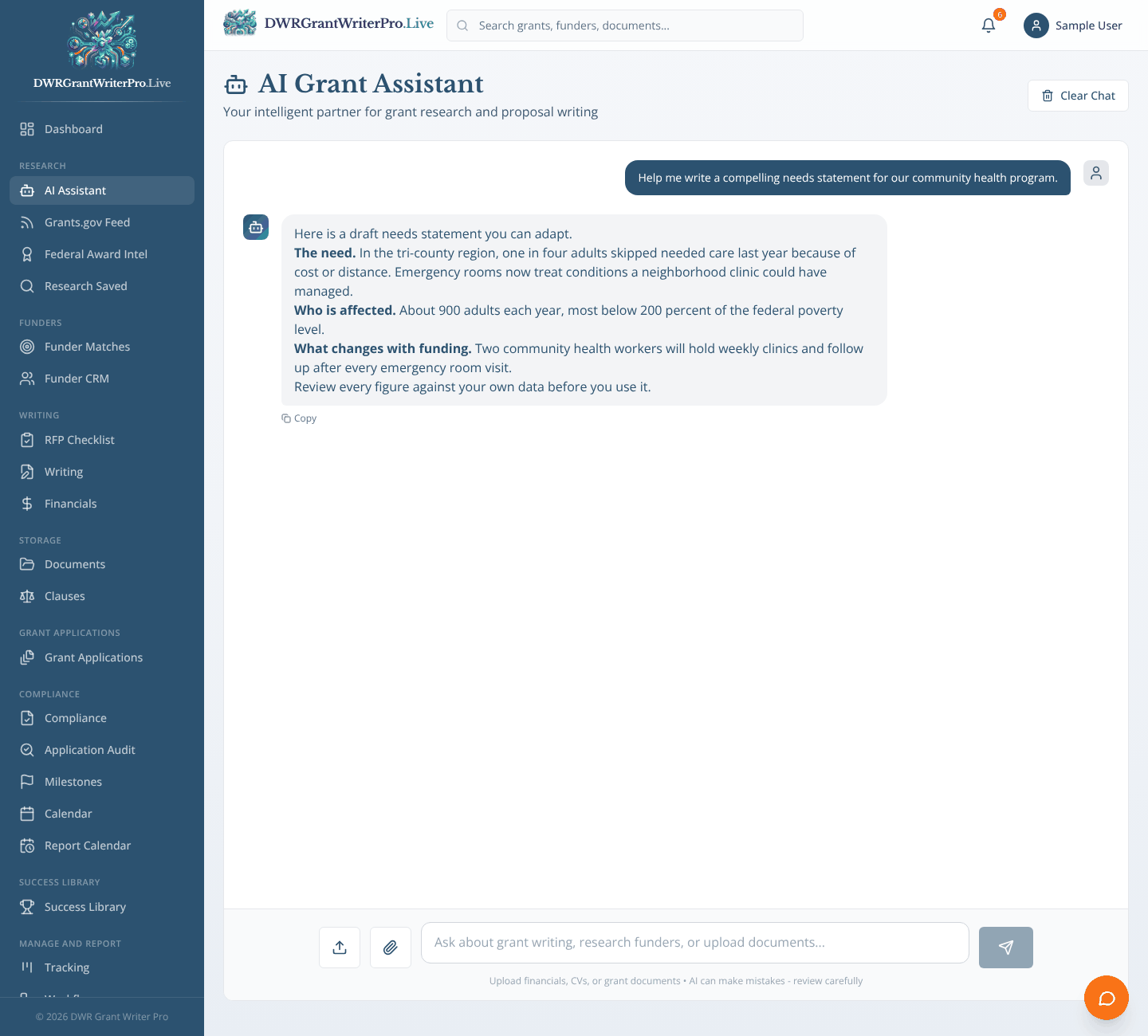
Module 02
AI Assistant
A chat assistant for grant strategy, funder research and proposal questions.
- Ready made prompts: find grants, research funders, write a needs statement, review a budget
- Upload documents and ask questions about them
- Save what it finds straight into Research Saved
Also in this step
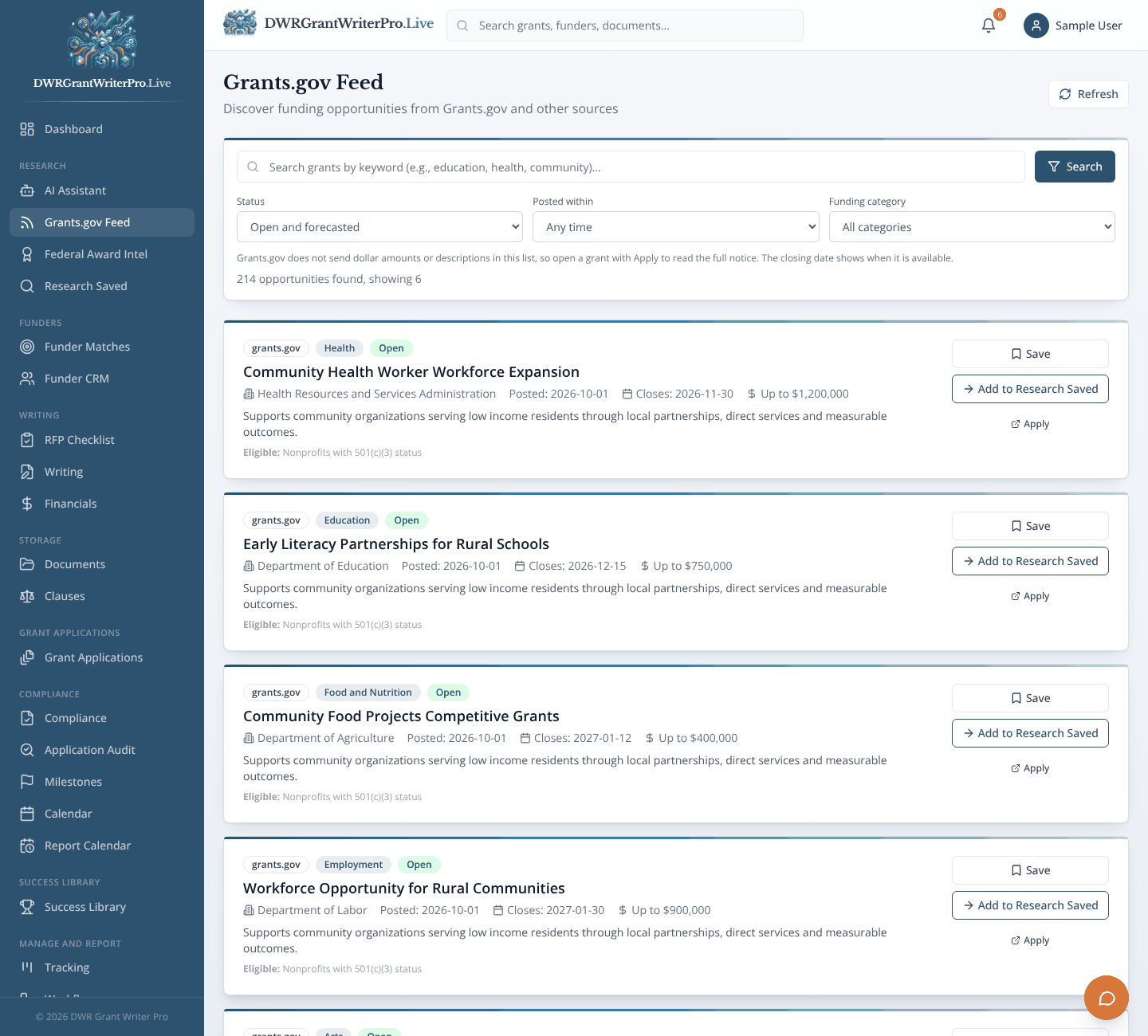
Module 03
A live search of open federal grant opportunities from Grants.gov.
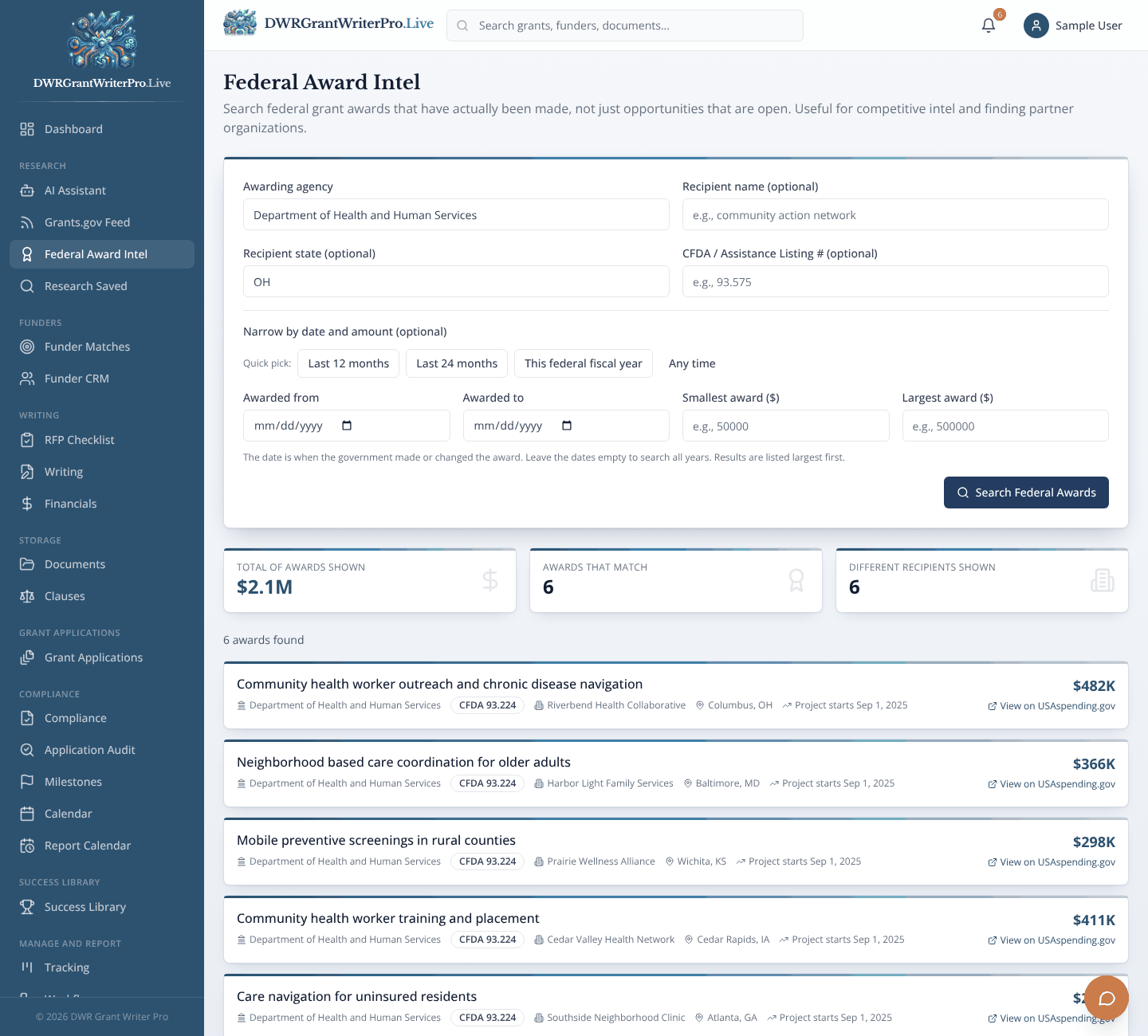
Module 04
Look up who has actually won federal awards, using public USAspending.gov data.
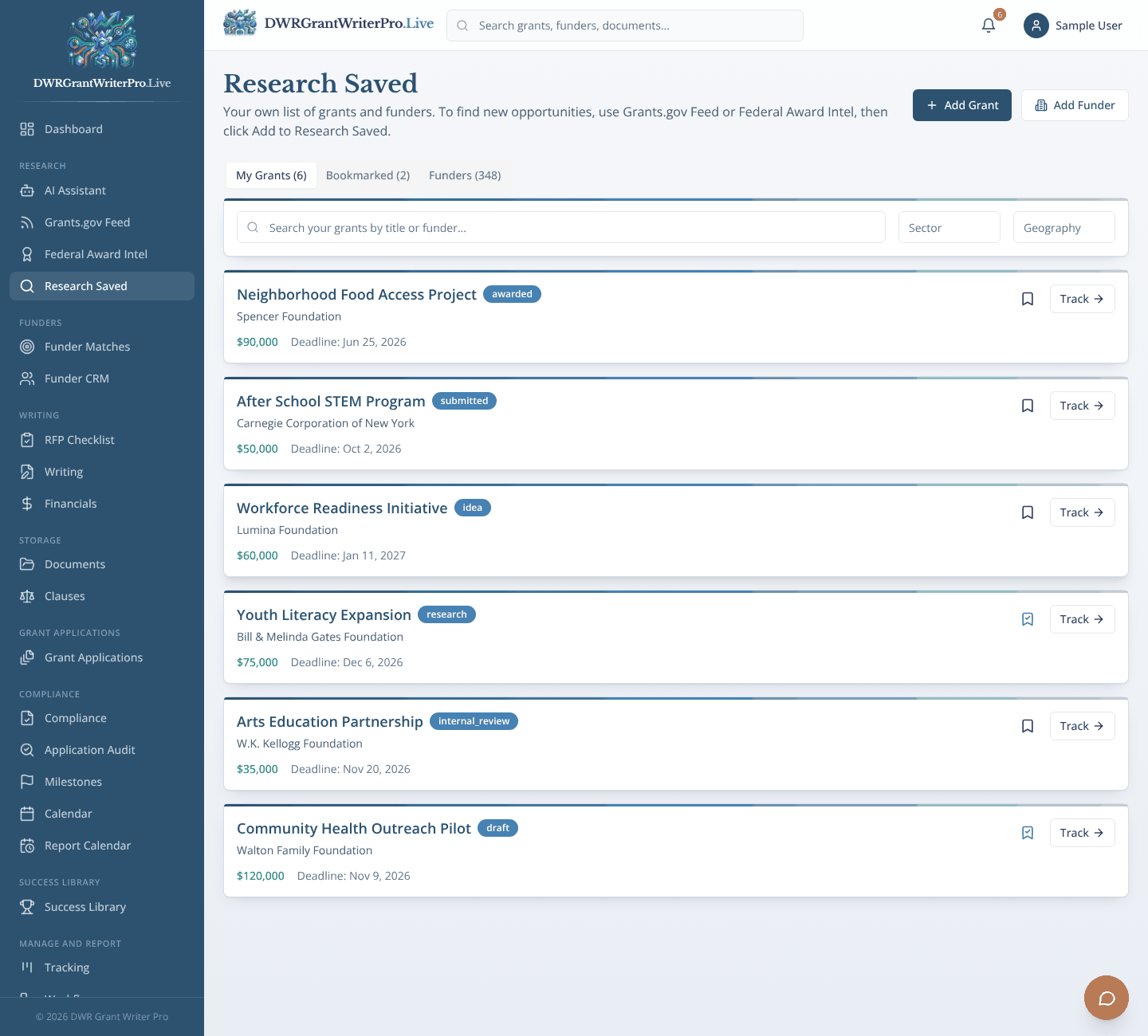
Module 05
Your short list of the grants and funders you are considering.
Step 2 of 8
Match and Save Funders
Know who is a good fit, and keep their details
What happens
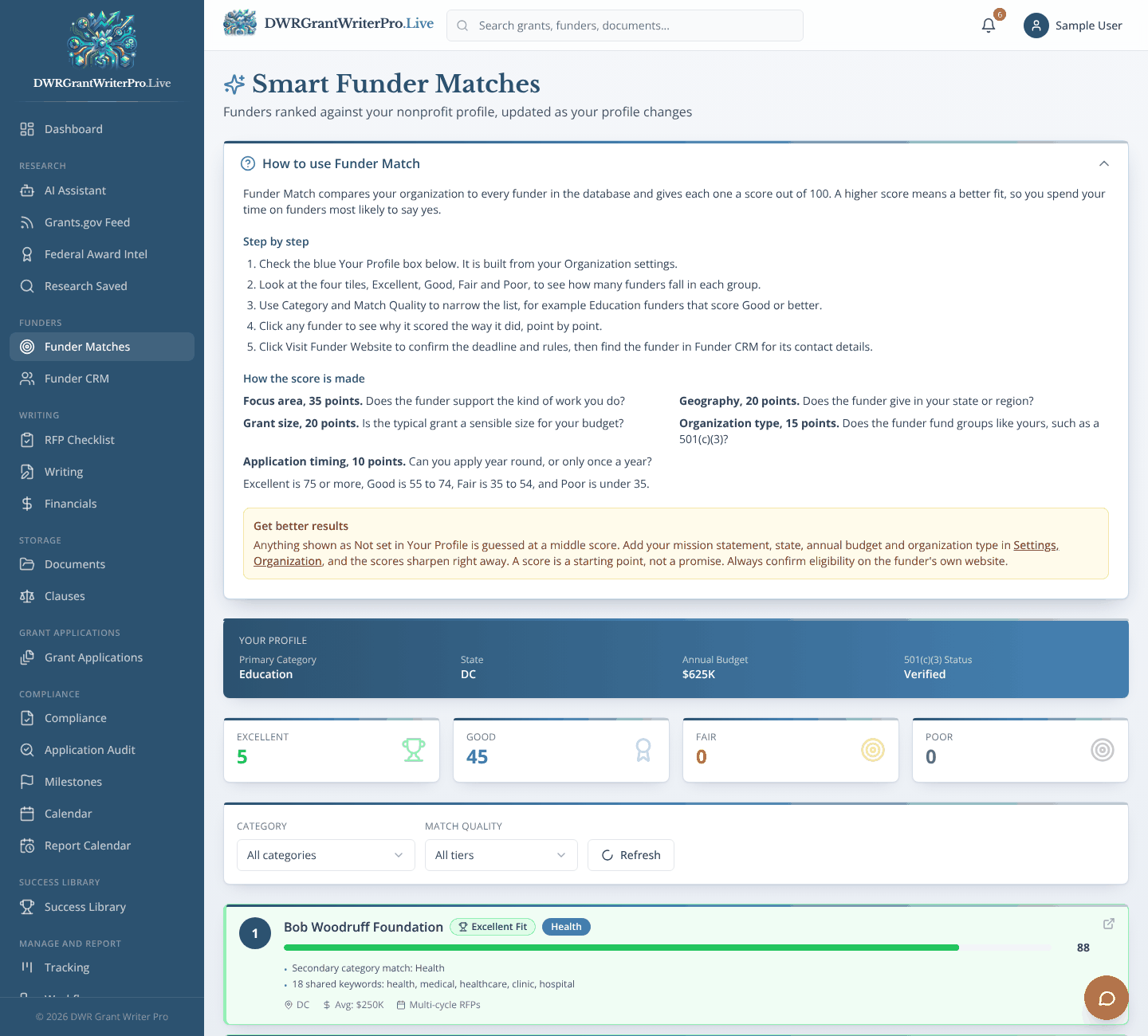
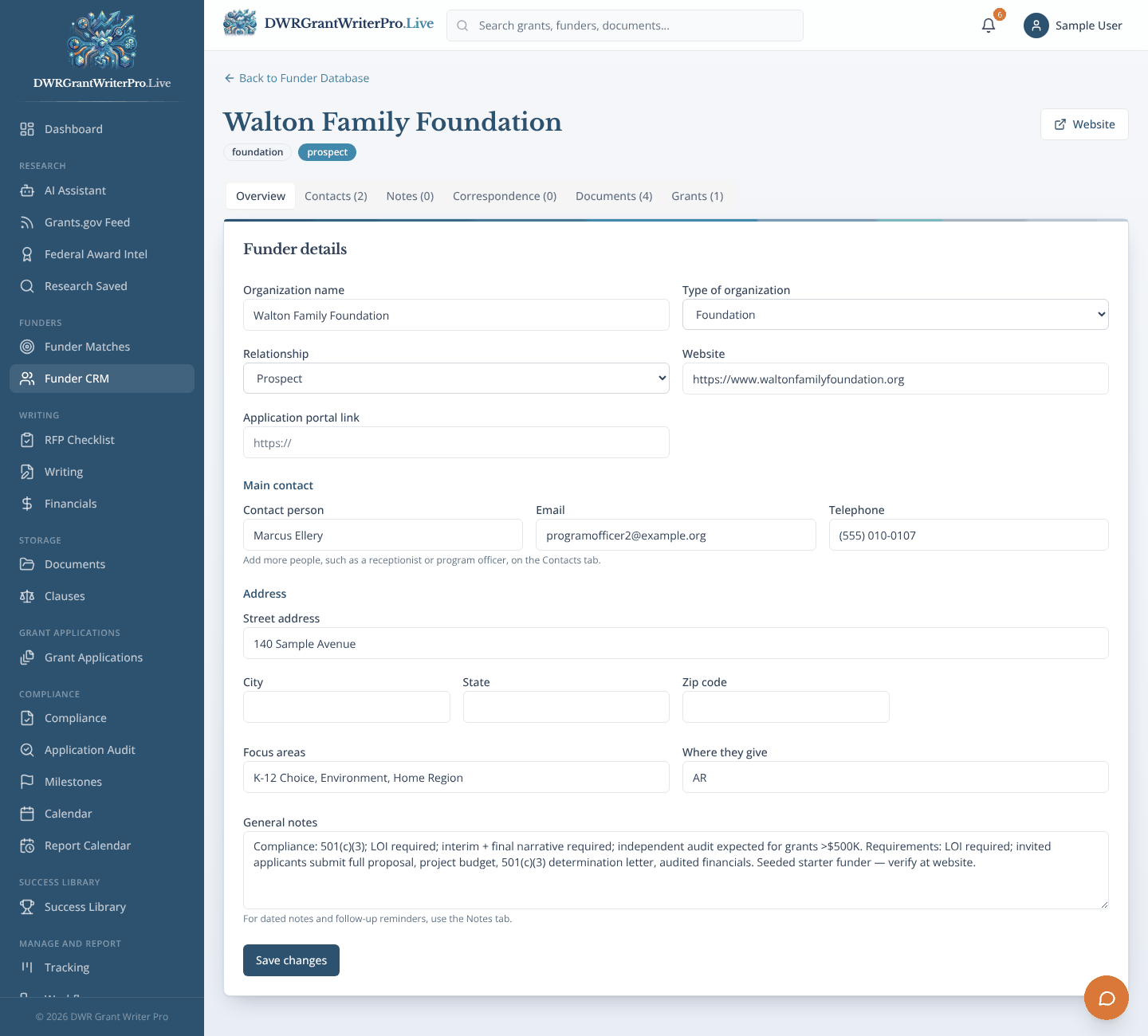
Funder Matches scores each funder against your organization. The funder’s name, address, contacts, notes and grants are kept in the Funder CRM, with more than one contact per funder.
Why it matters
Like a matchmaker and a contact book in one: you meet fewer funders, and you never lose what you learned about them.
Module 06
Funder Matches
Ranks funders against your organization’s profile.
- A score out of 100 built from focus area, location, grant size, organization type and application cycle
- Tiers from Excellent to Poor
- A breakdown that shows why each funder ranked where it did
- Filter by category and match quality
Also in this step
Module 07
A funder database and relationship tracker, with one record for each funder.
Next: Step 3, Read the RFP
Step 3 of 8
Read the RFP
Know exactly what the funder wants
What happens
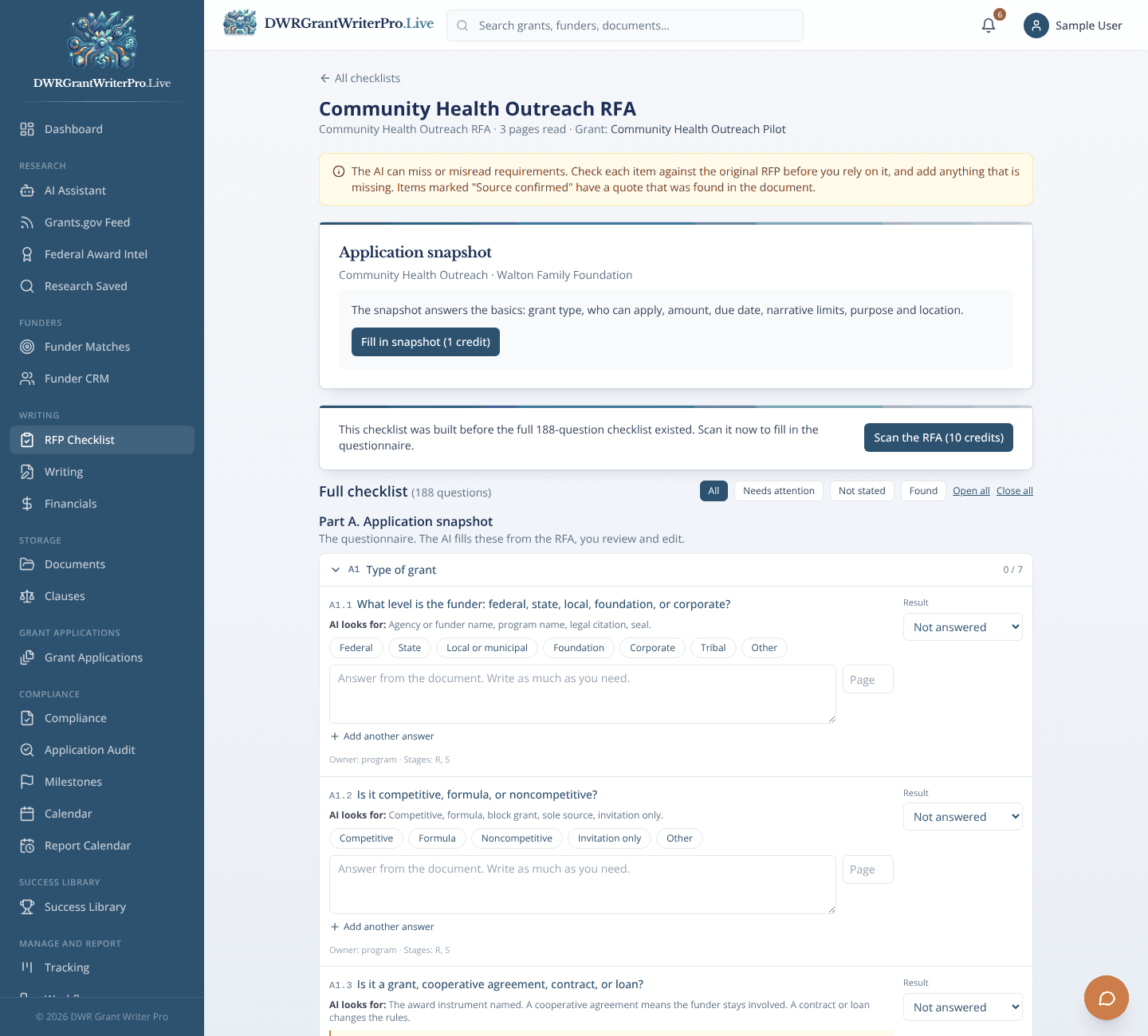
The RFP Checklist reads the announcement and lists every requirement, with the page and quote it came from. You review it, add milestones and the dates flow to your calendar and tracking.
Why it matters
Like a highlighter that also builds you a to do list.
Module 08
RFP Checklist
Turns an RFP, RFA or funding announcement into a checklist of what your application must include.
- Upload a PDF or Word file, pick one from Documents, or paste the text
- Requirements grouped by eligibility, deadlines, required sections, limits, attachments, budget rules and scoring
- Every item points to the page it came from, with a quote you can check
- Tick items off, edit them and add your own, with progress for the whole team
Next: Step 4, Write
Step 4 of 8
Write
Go from blank page to a first draft
What happens
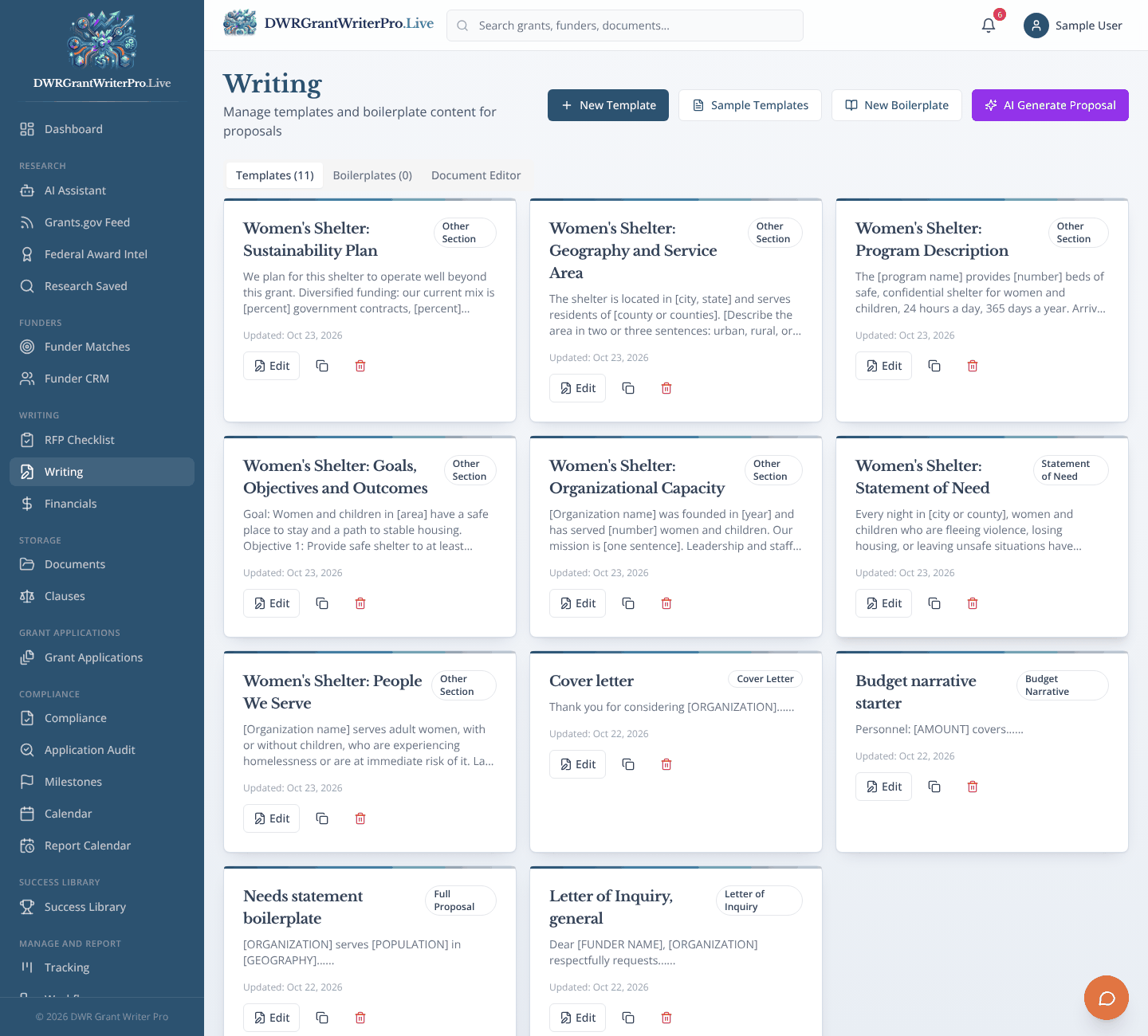
Pick a template, draft each section with or without the AI, and build the annual budget and monthly profit and loss in Financials.
Why it matters
Like starting a recipe with the ingredients already measured out.
Module 09
Writing
Templates, boilerplate and AI drafts for proposal sections.
- Templates for letters of inquiry, proposals, budget narratives and cover letters
- A full text editor: fonts, sizes, bold, italic, underline, alignment, line spacing and lists
- Add pictures such as maps and photos, and choose their size and position
- Download as Word, or save to Documents under the funder and grant
Also in this step
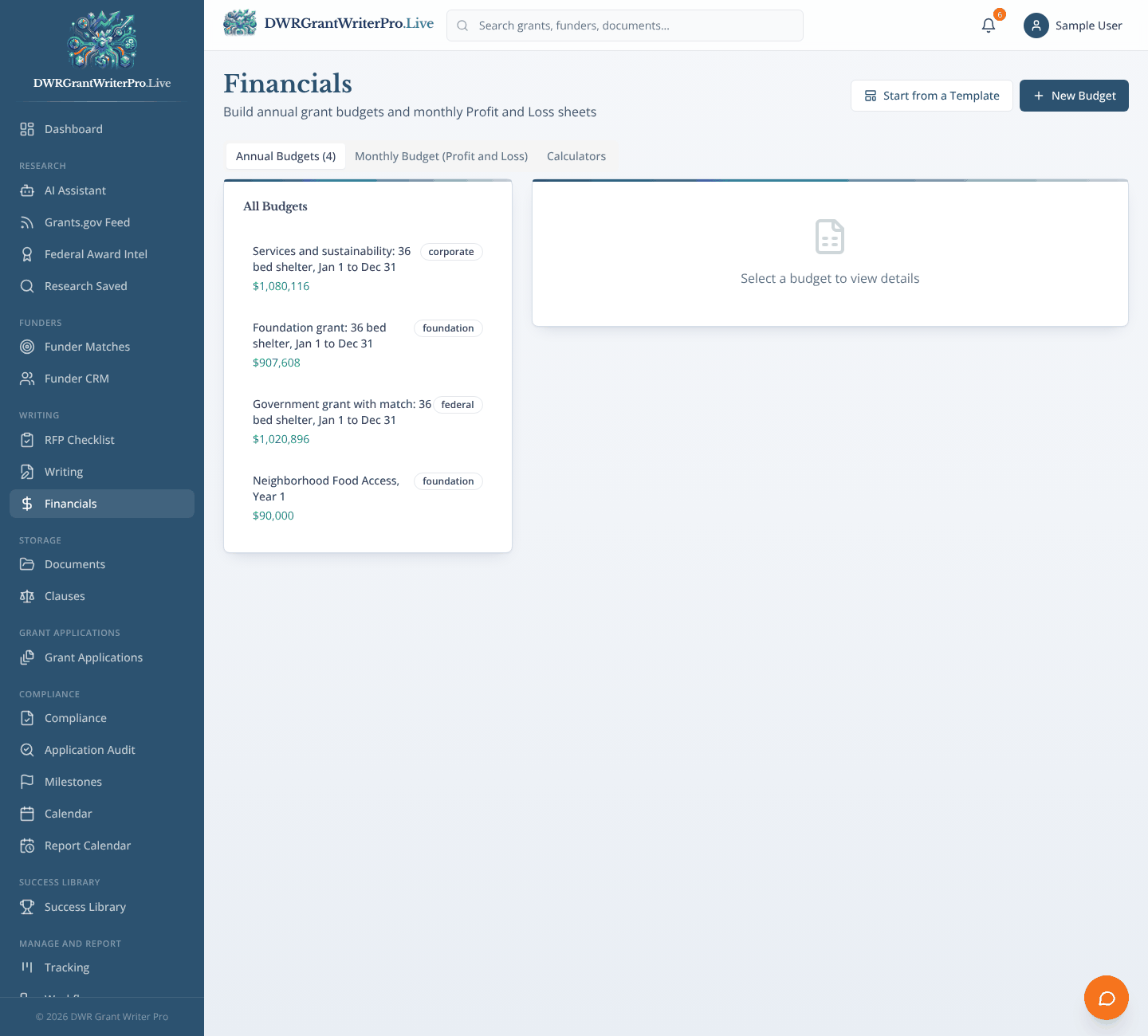
Module 10
Grant budgets and monthly profit and loss sheets, with matching funds.
Next: Step 5, Organize
Step 5 of 8
Organize
Keep everything in one place
What happens
Documents are filed by funder name, grant application and Grant ID. Clauses holds risk rated grant terms. The Success Library keeps what worked before.
Why it matters
Like a filing cabinet that remembers which folder belongs to which grant.
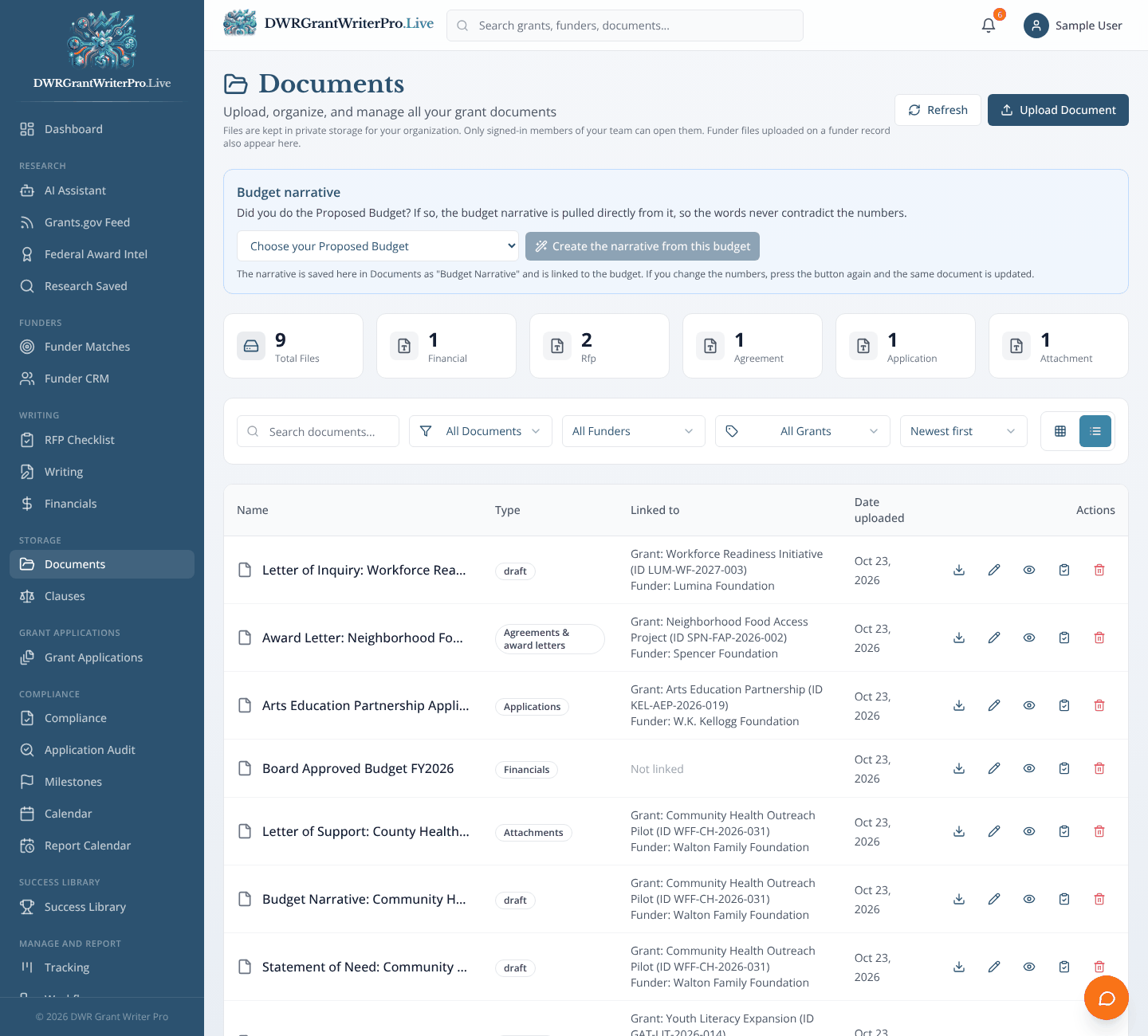
Module 11
Documents
Store files and link each one to its funder and grant.
- Every file carries a funder name, grant application and Grant ID
- Filter by funder, grant or document type, and sort by newest
- A budget narrative built straight from your proposed budget
- Upload, comment with @mentions, and keep a history of changes
Also in this step
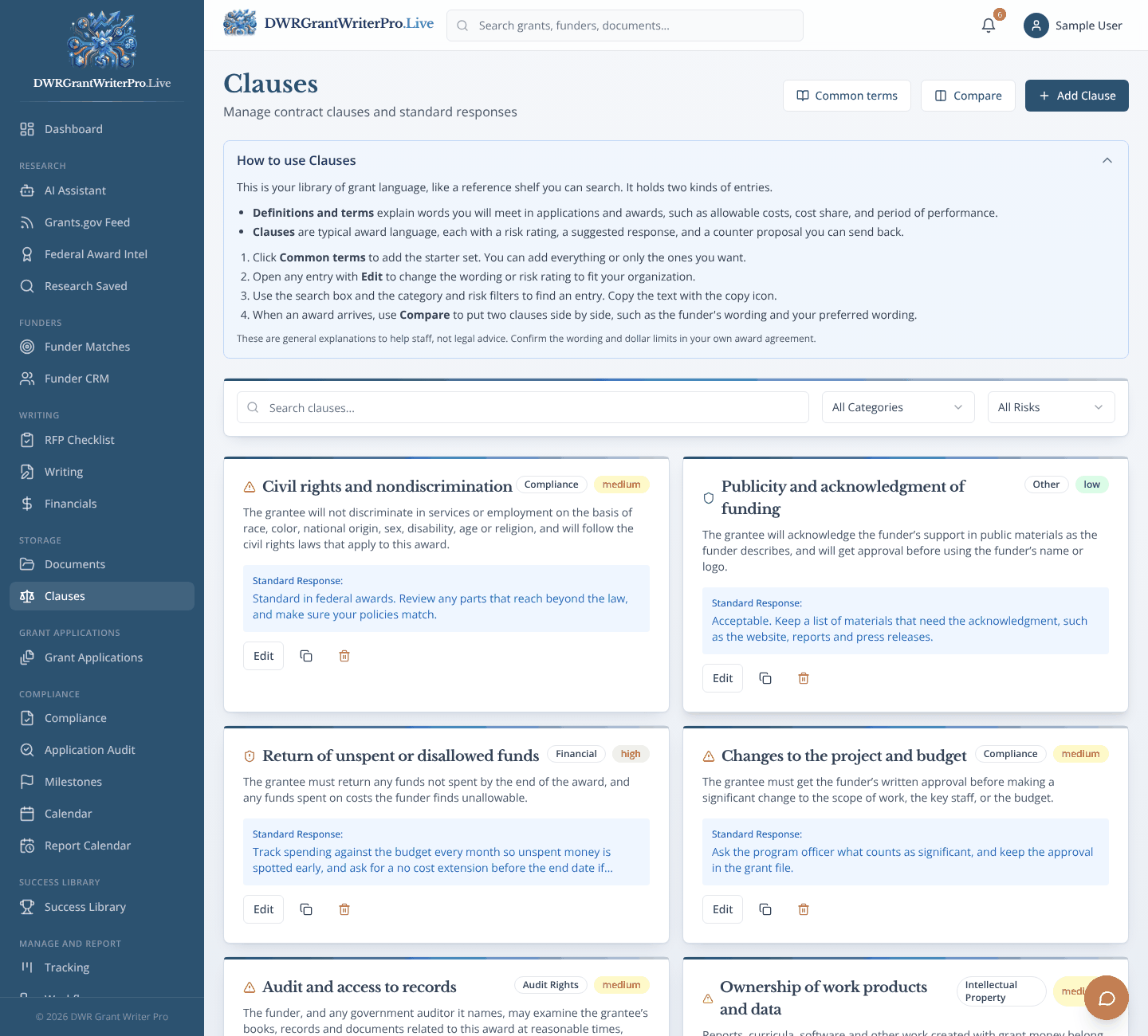
Module 12
A clause library with risk ratings for grant terms.
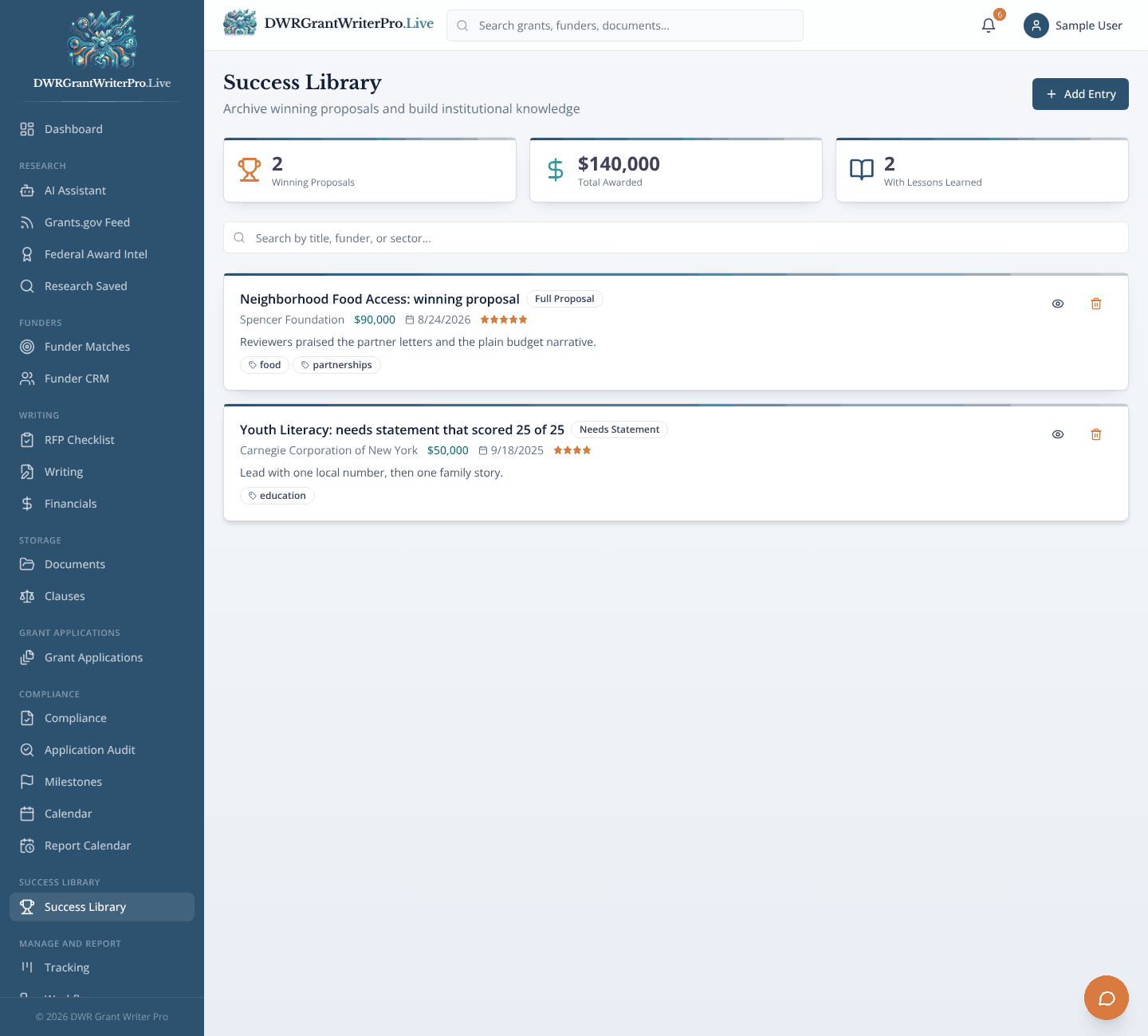
Module 21
A library of your winning proposals and what you learned from them.
Step 6 of 8
Build the Application
Put the application together
What happens
Choose the funder and the application, then save it as a Draft or mark it Final. Pending shows the ones you started but have not finished.
Why it matters
Like a binder where the cover page and the table of contents are already done.
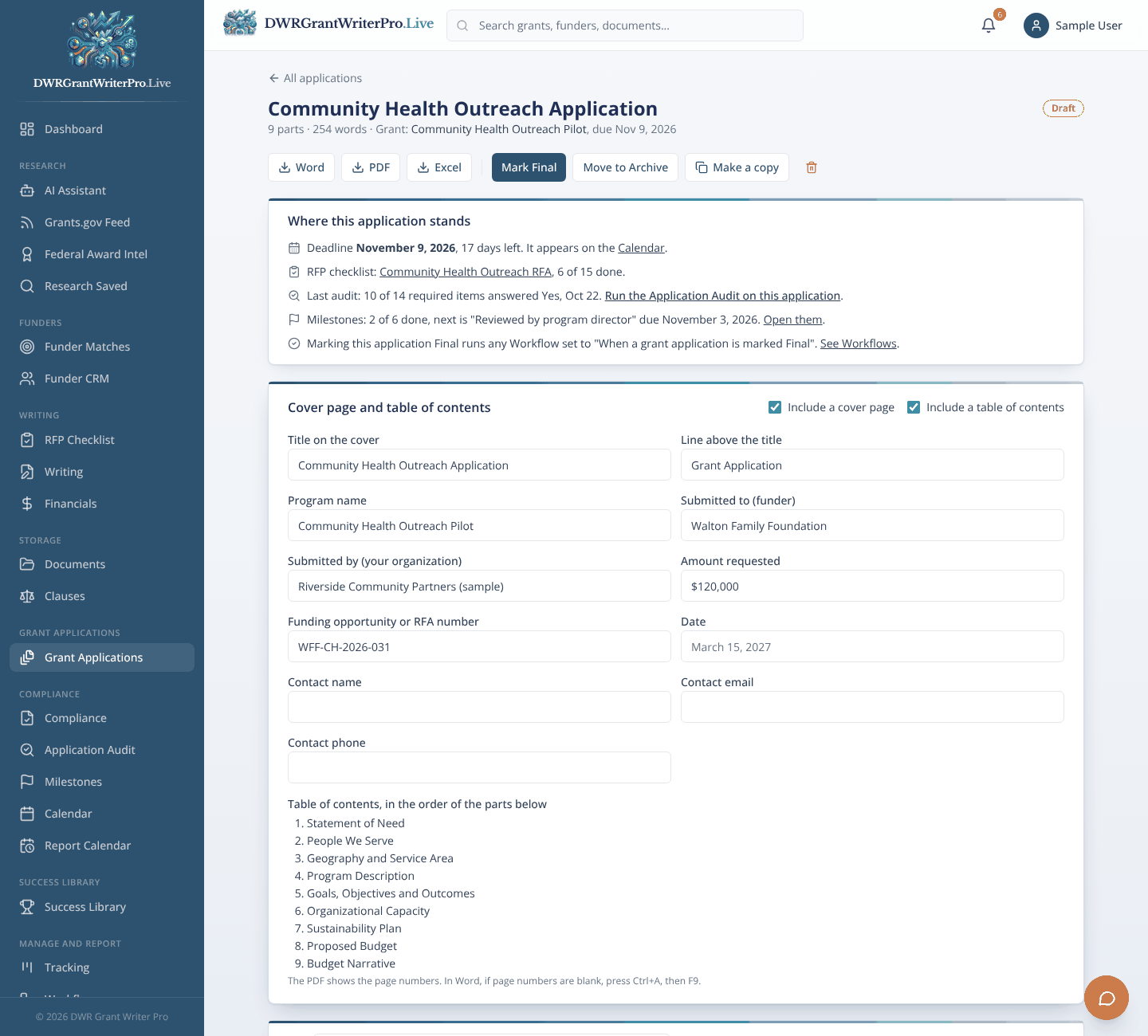
Module 13
Grant Applications
Where each application is put together: start a new one or pick up a pending draft.
- Tabs for New, Pending, Final and Archive applications
- A cover page and table of contents built for you
- Save as Draft, or mark Final when it is ready for checking
- Download as Word, PDF or Excel, make a copy, or move to the Archive
Next: Step 7, Check
Step 7 of 8
Check
Find the gaps before the funder does
What happens
Compliance scores your readiness with fixed rules. The Application Audit then compares your finished application to every item on the RFP checklist and tells you Yes, Incomplete or No.
Why it matters
Like a pre-flight checklist: boring until it catches the one thing that would have grounded you.
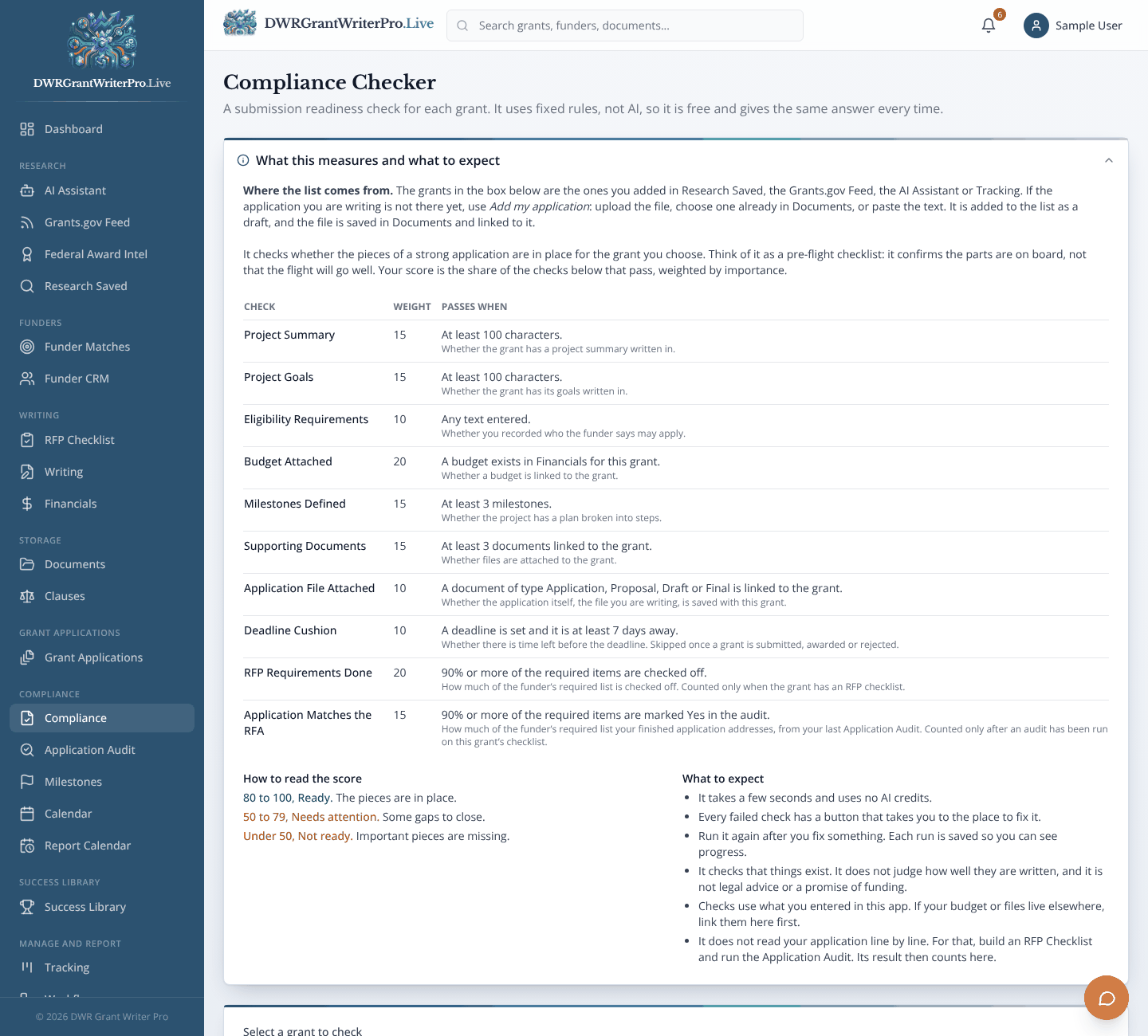
Module 14
Compliance
A readiness check for any grant before you submit.
- A readiness score from 0 to 100
- Fixed rules, not AI, so it is free and gives the same answer every time
- Checks such as project summary, goals, budget, milestones, documents and deadline cushion
- Plain recommendations for each gap
Also in this step
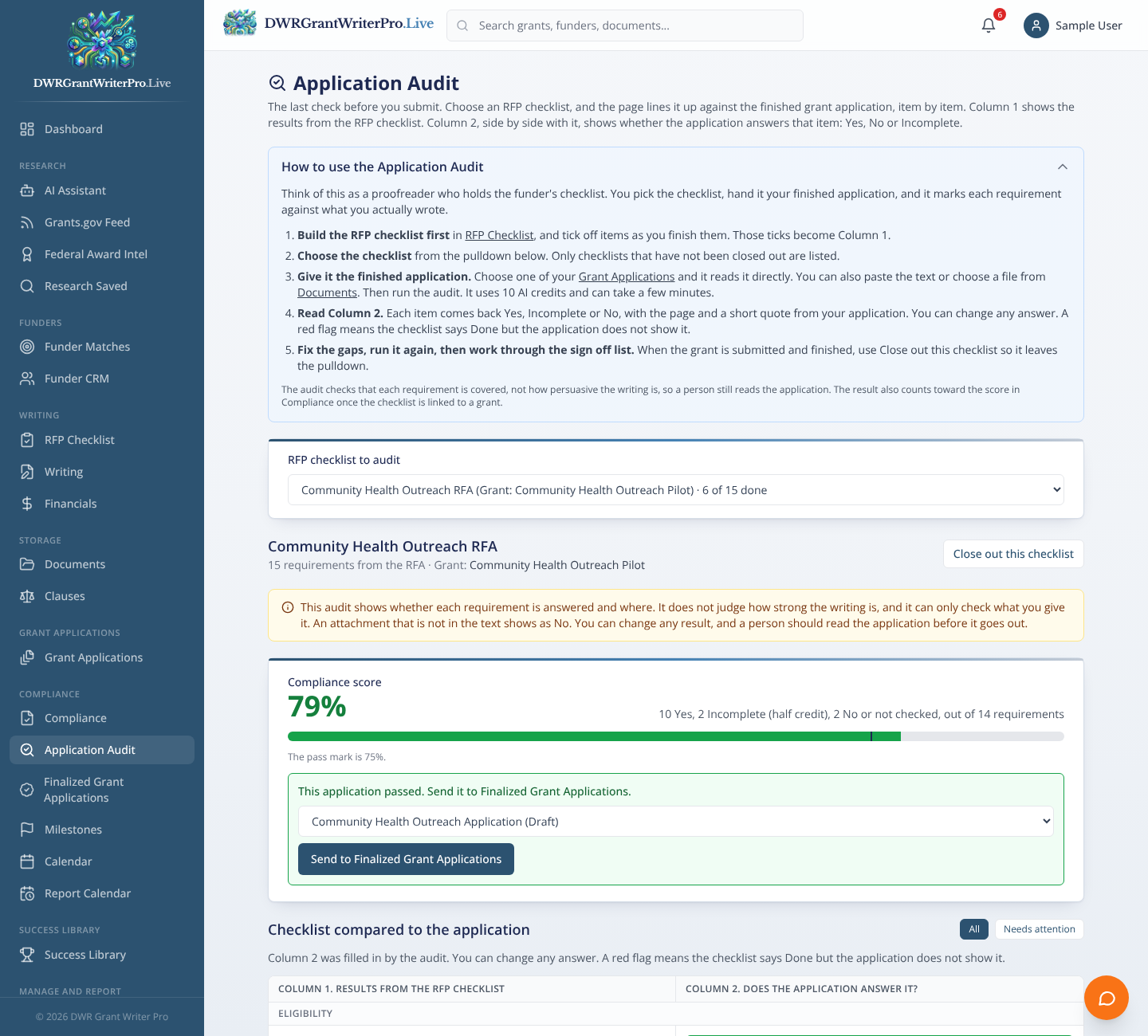
Module 15
A final check that compares your finished application to every requirement in the RFA before you submit.
Next: Step 8, Submit
Step 8 of 8
Submit
Send it with confidence
What happens
When the checks come back clean, you are ready to print, mail or upload your application to the funder. Then move the grant to Submitted in Tracking.
Why it matters
Like the last look at the mailbox before you let go of the envelope.
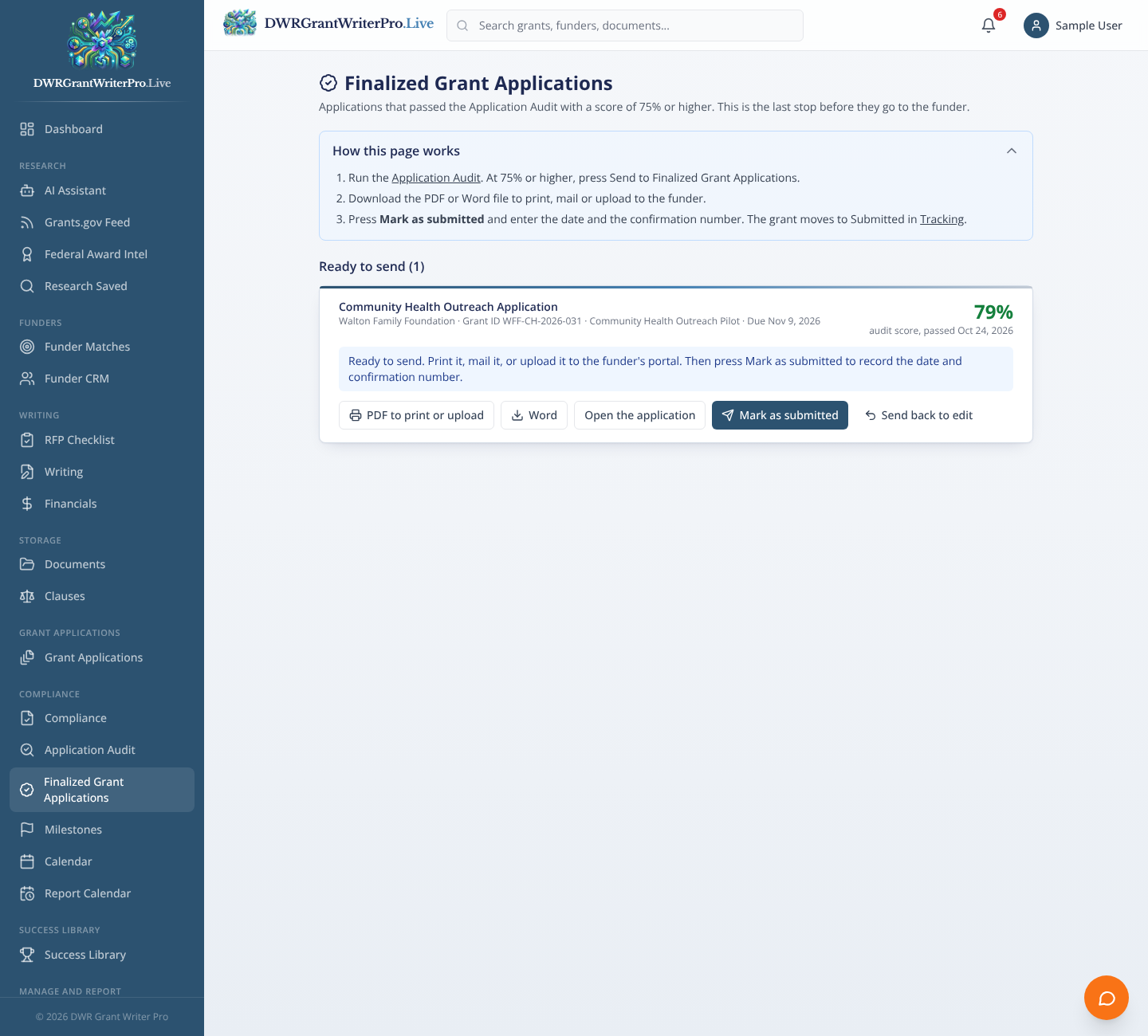
Module 16
Finalized Grant Applications
The applications that passed the audit with 75 percent or higher, ready to send to the funder.
- An application lands here only after it passes the Application Audit at 75 percent or higher
- Download a PDF to print or upload, or a Word file
- Mark as submitted with the date and confirmation number, and the grant moves to Submitted in Tracking
- Send an application back to edit, then audit it again
Behind every step
Plan and Track
Keep every date and every person on track
What happens
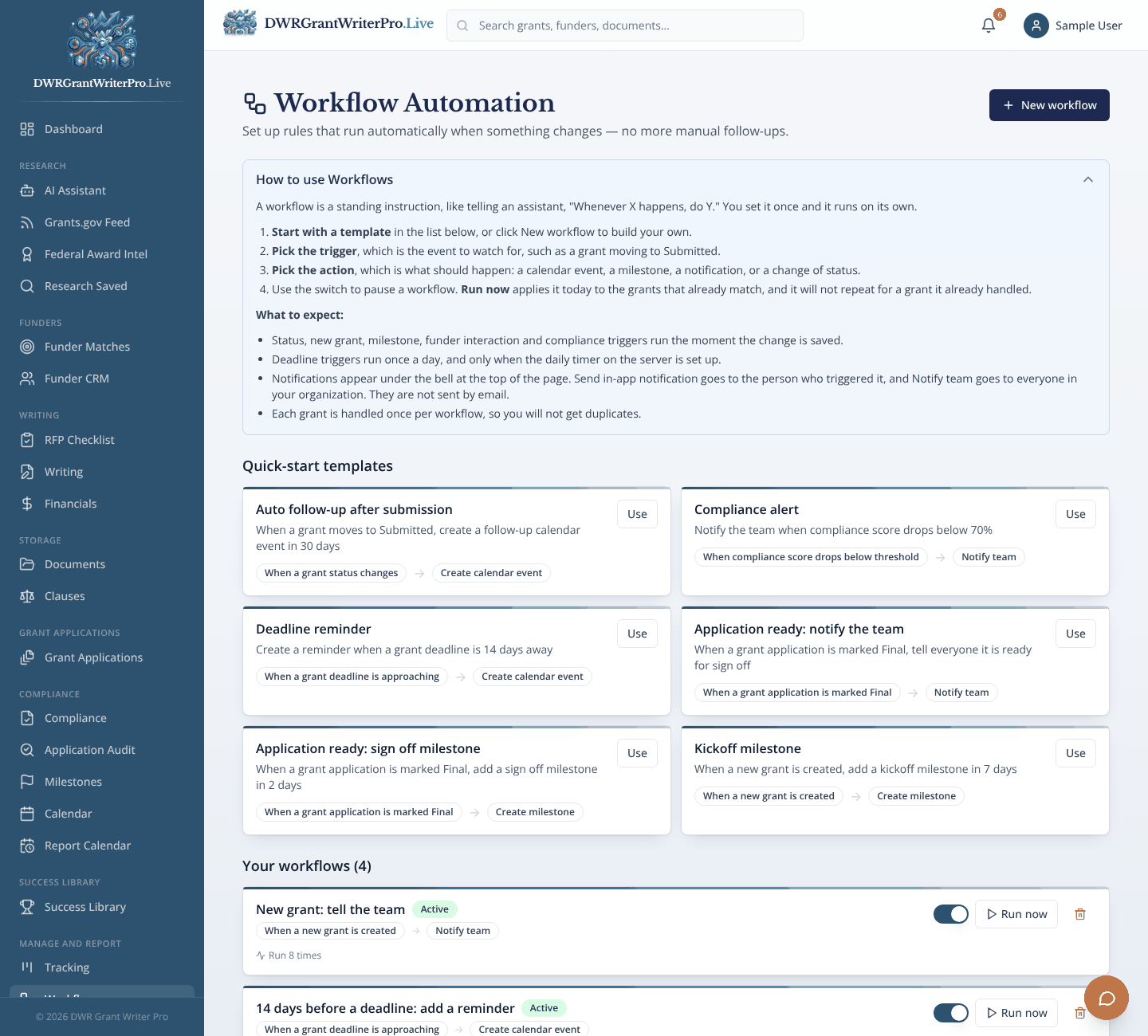
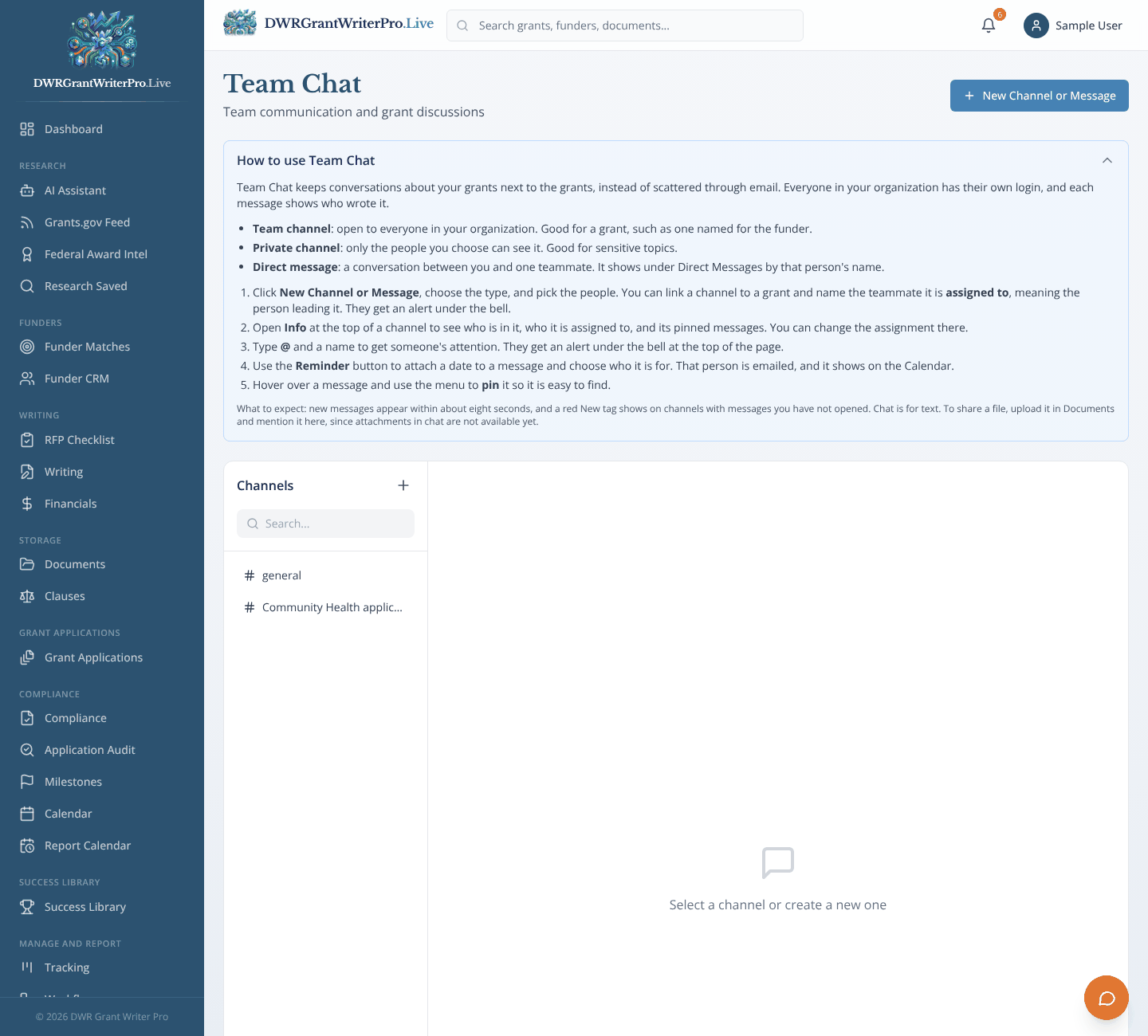
Milestones, the Calendar, Tracking, Workflows, Chat and the Dashboard work in the background of every step, so deadlines are never a surprise.
Why it matters
Like a project manager who never takes a day off.
Module 01
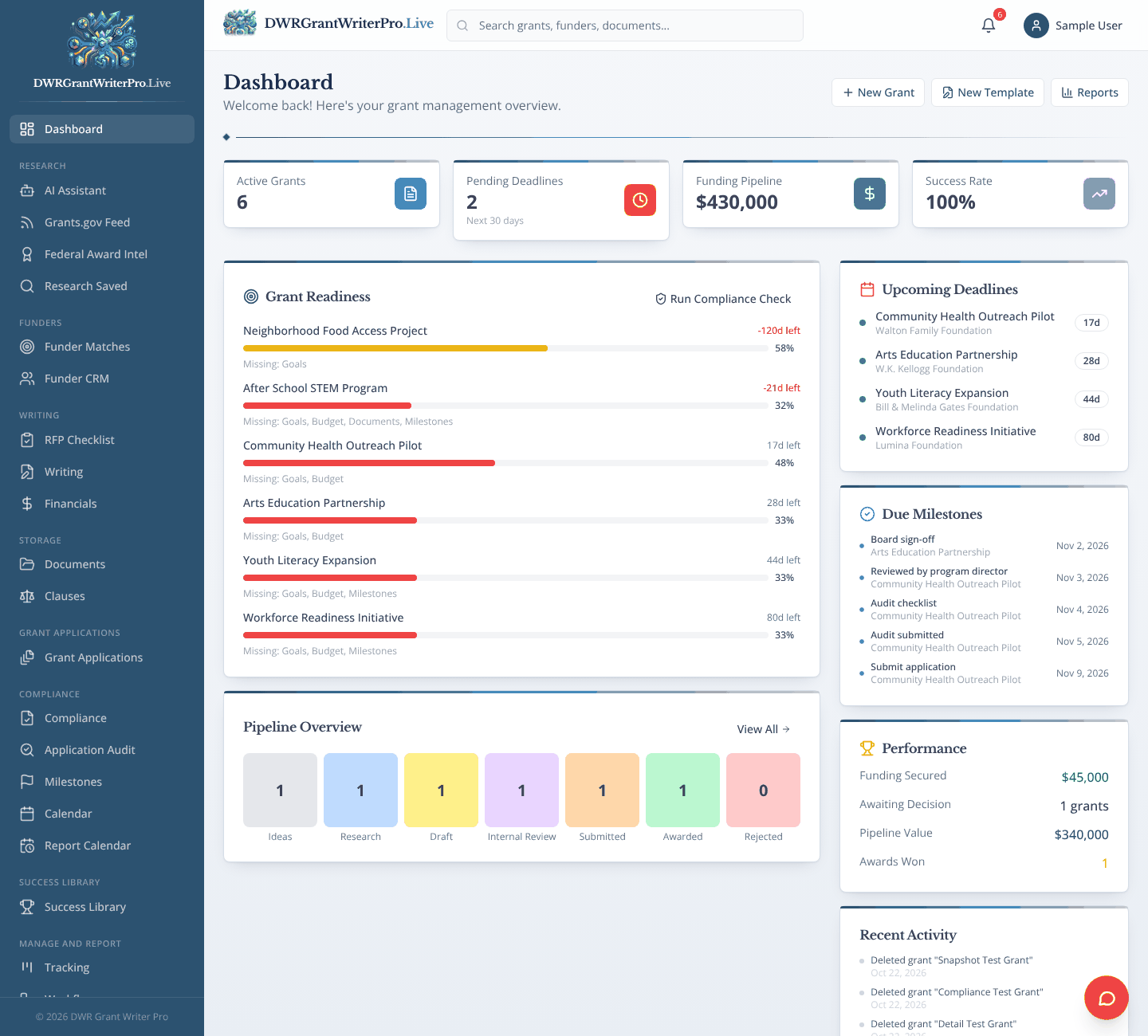
Dashboard
One screen with upcoming deadlines, grant readiness and where every grant stands.
- Upcoming deadlines with days left
- Readiness bars that show what is missing on each grant
- Due milestones, funding pipeline and awards won
- Quick buttons to add a grant, start a template or open reports
Also in this step
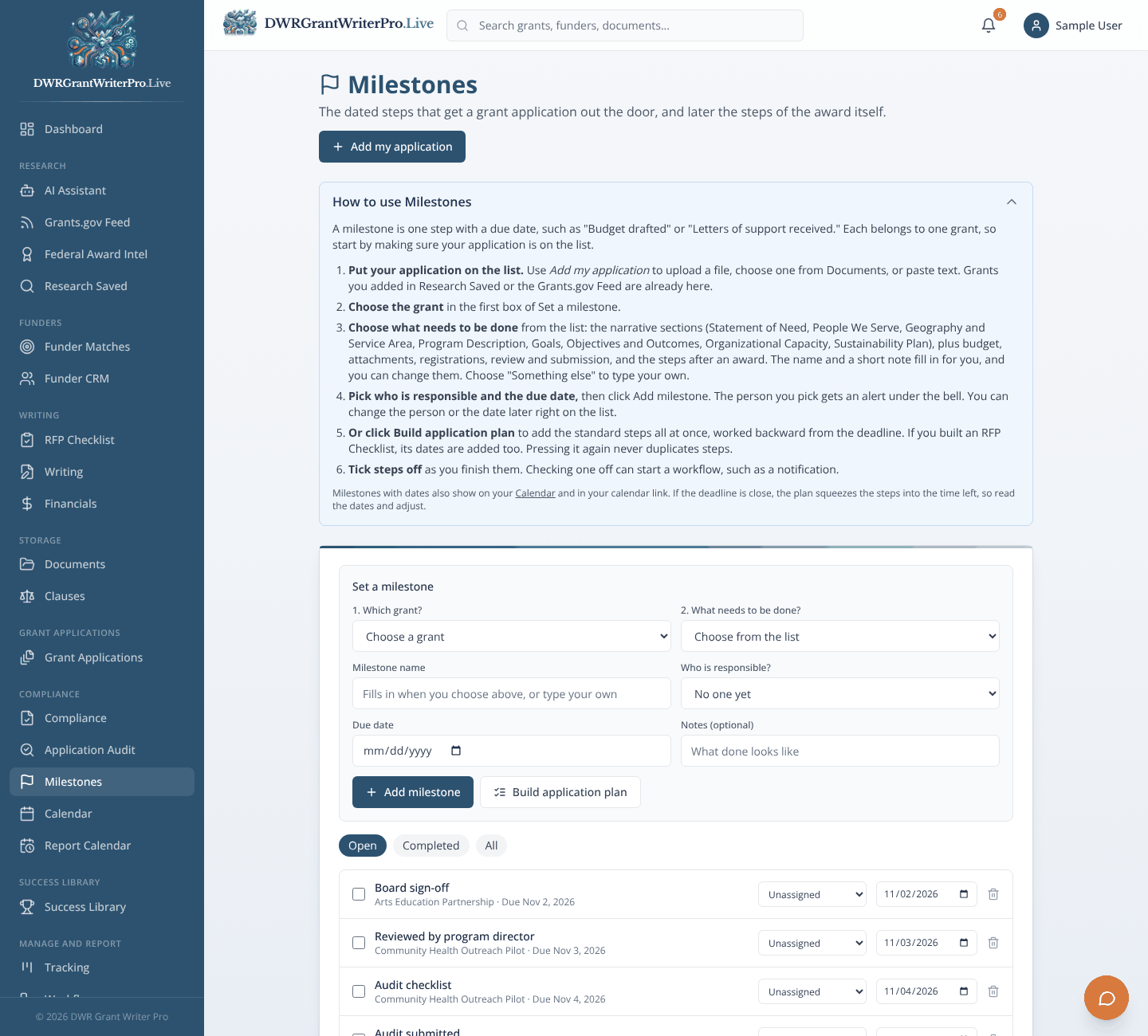
Module 18
The dated steps that get an application out the door, and later the steps of the award itself.
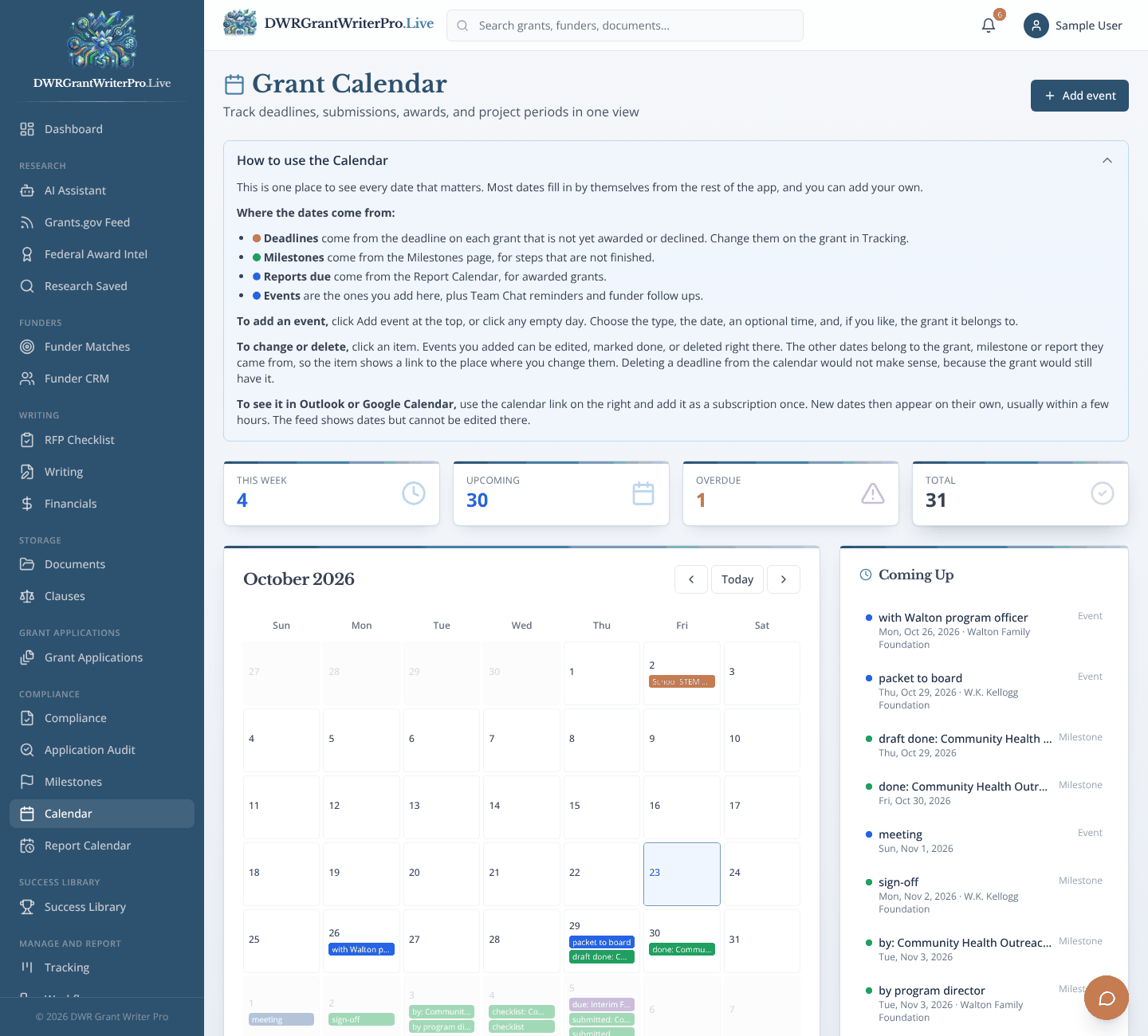
Module 19
Deadlines, milestones and events in one calendar.
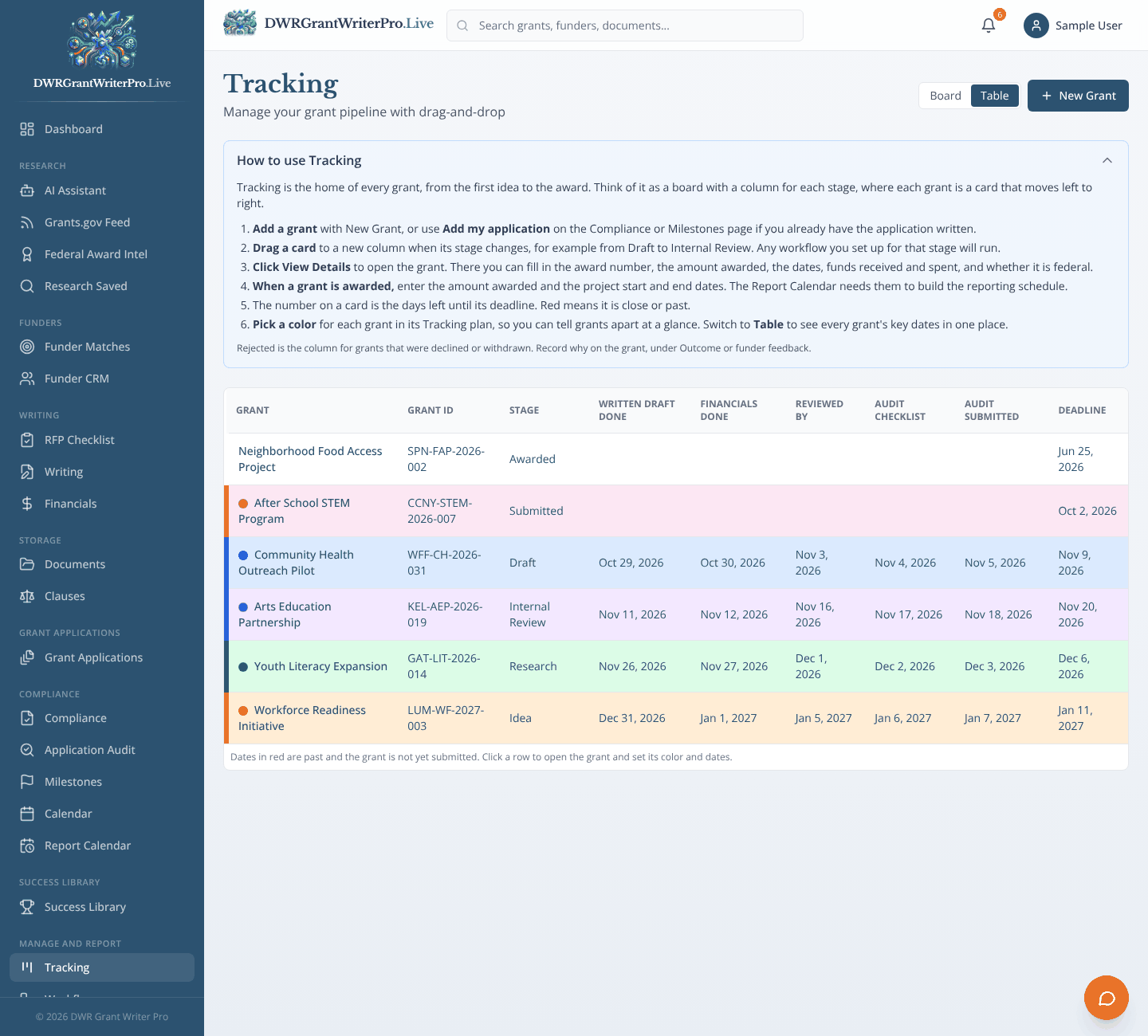
Module 22
A board and a table that follow each grant from idea to award.
Module 26
Team conversations kept inside the platform.
After you win
Report and Learn
Keep the grant, and learn from every one
What happens
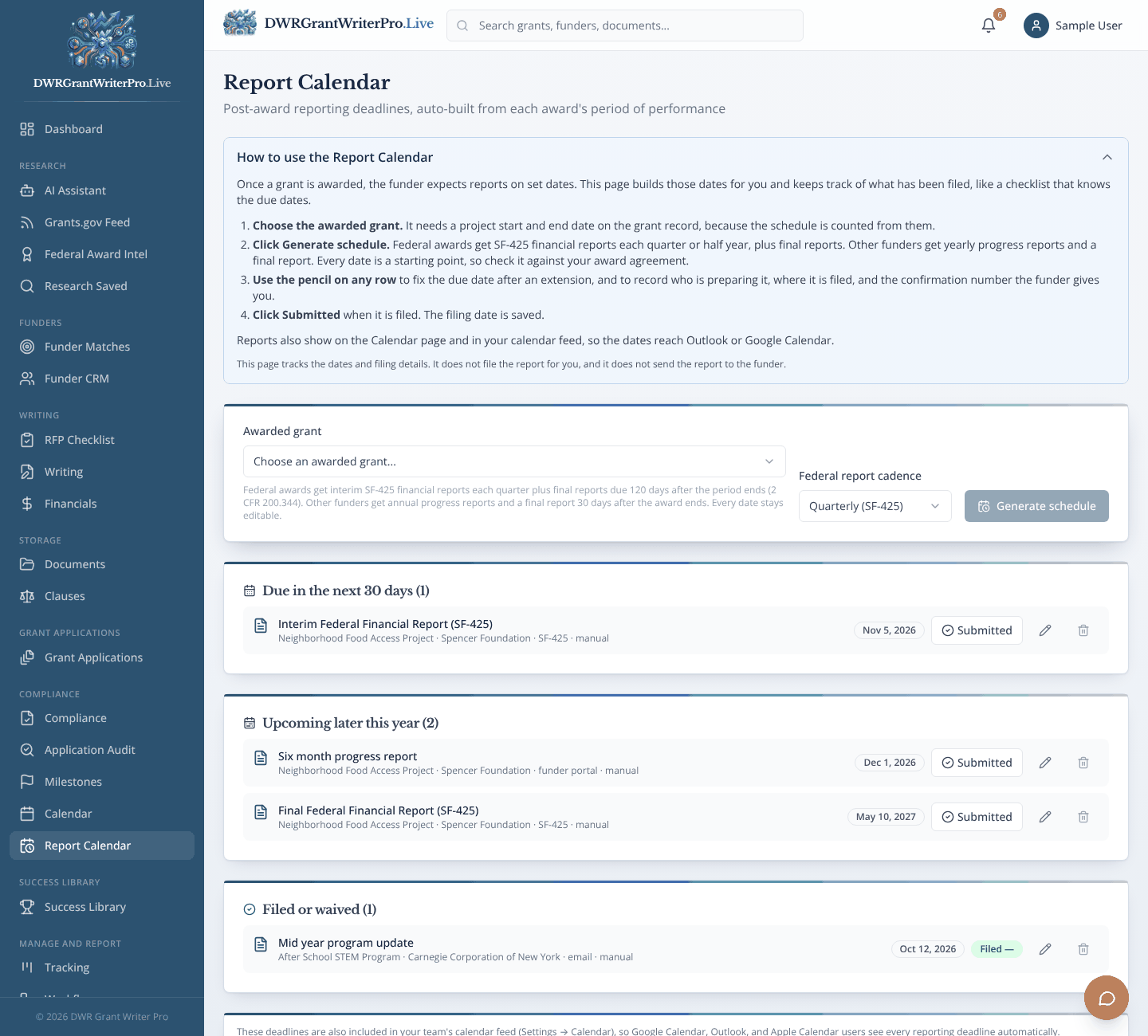
The Report Calendar schedules funder reports. Reports and Analytics show the money and what is working. Settings holds your organization, team and billing.
Why it matters
Like the control panel that shows the state of everything at once.
Module 17
Award Review
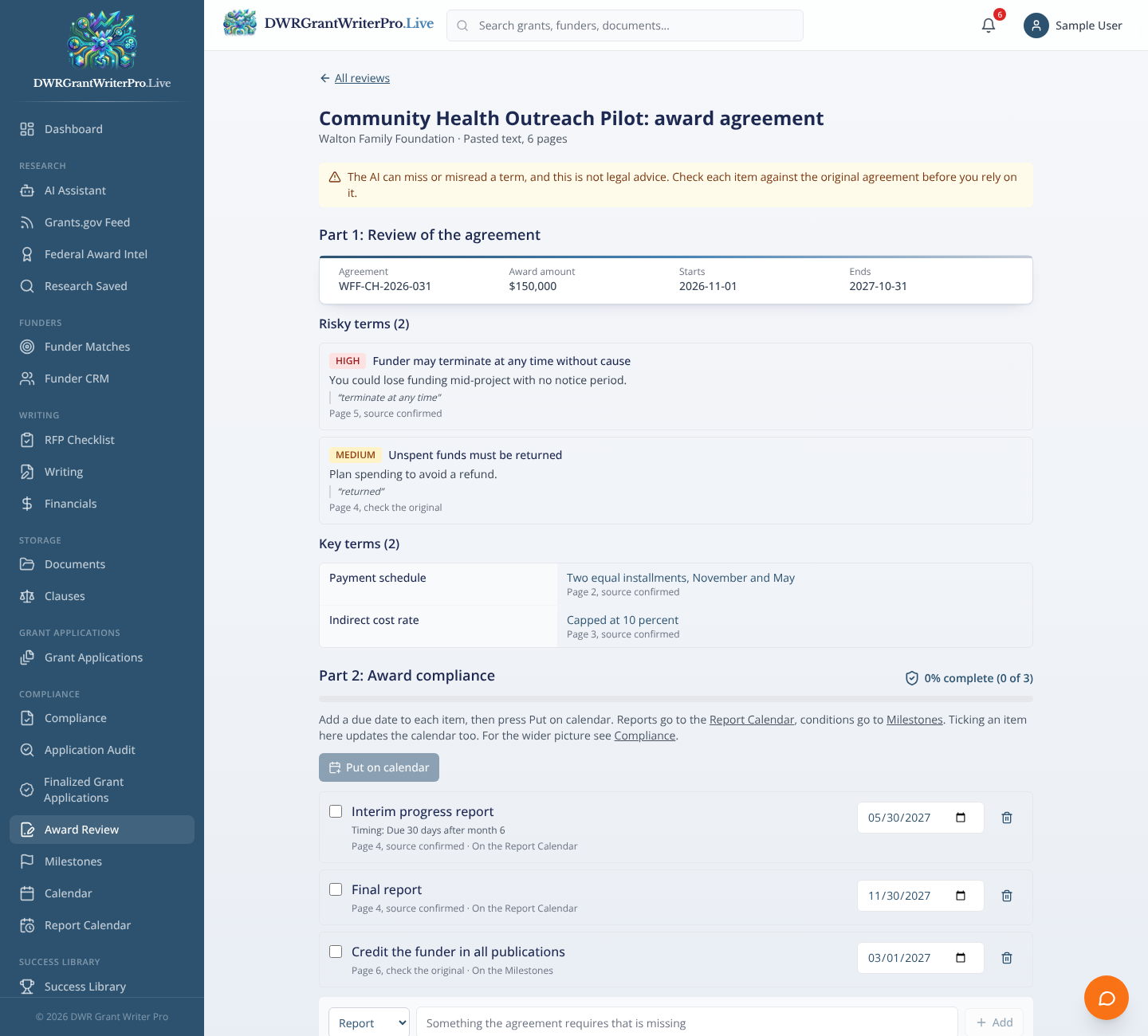
Reads the award agreement, flags risky terms, and turns what the grantee must do into a checklist with due dates.
- Upload the award agreement or paste its text and pick the grant
- Key terms listed with the page they came from, and risky clauses flagged against your Clause Library
- Reporting duties and special conditions become an award compliance checklist with a percentage done
- Put dated duties on the Report Calendar and Milestones in one press
Also in this step
Module 20
Builds funder reporting schedules from each award.
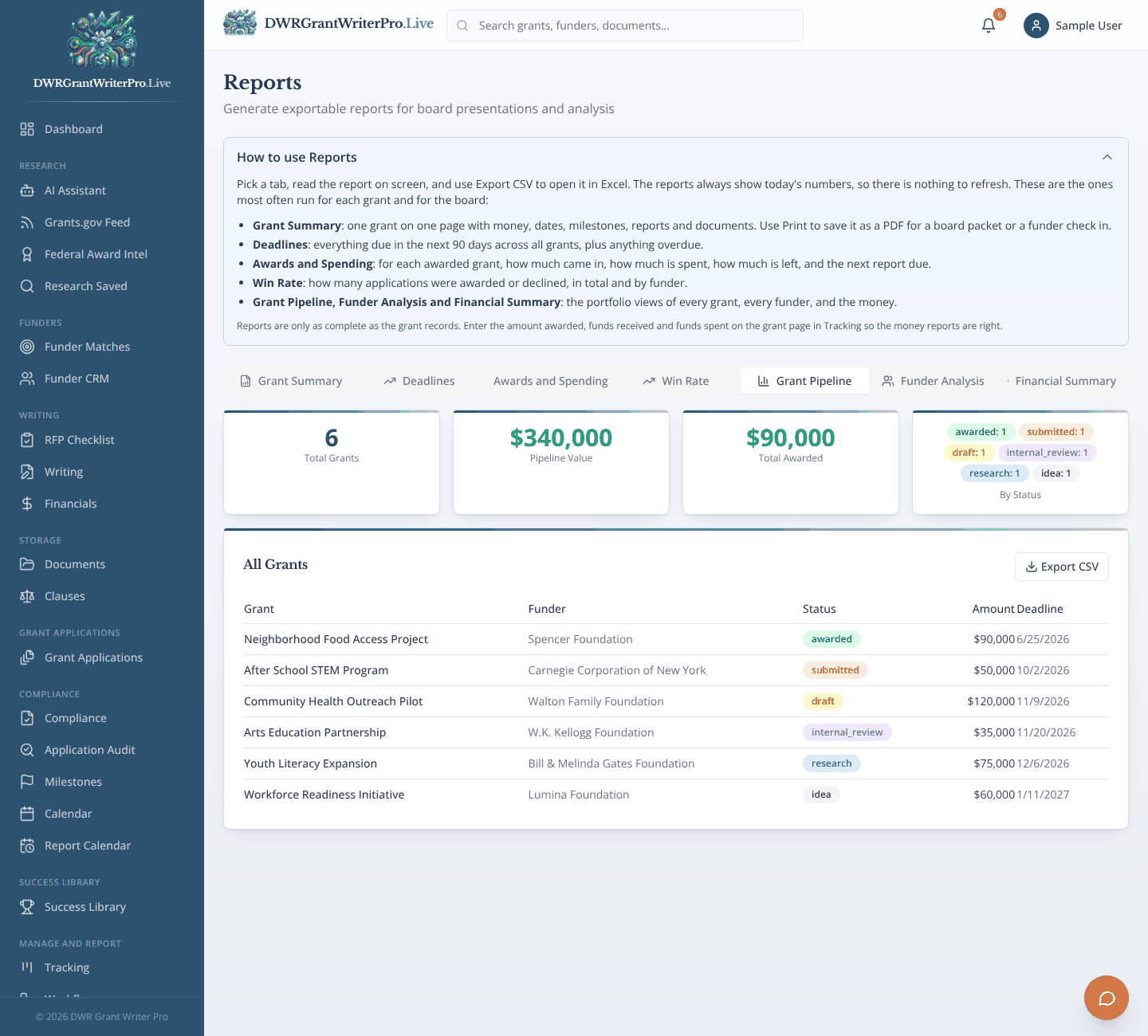
Module 24
Pipeline, funder and financial reports.
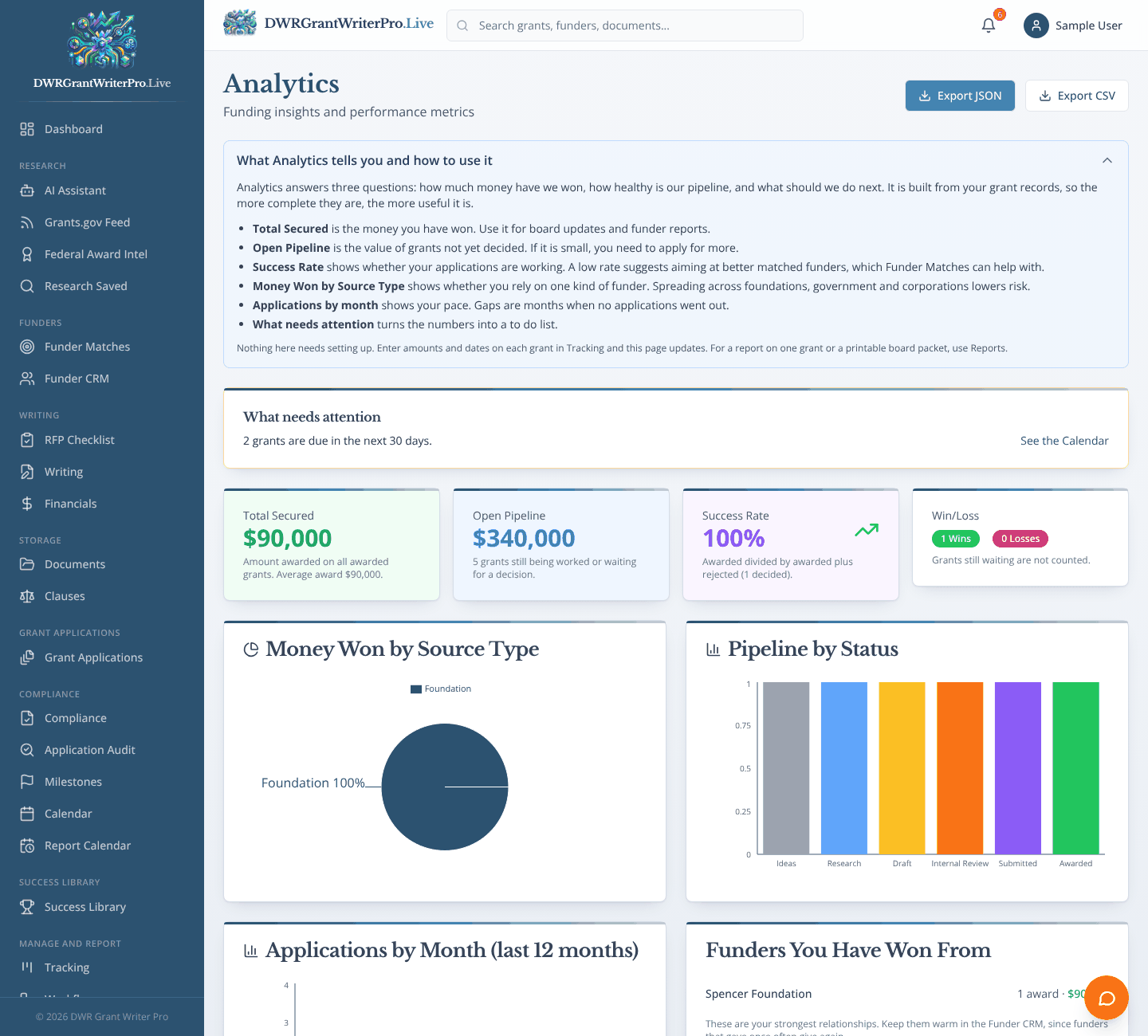
Module 25
Win and loss rates, funding by source and pipeline trends.
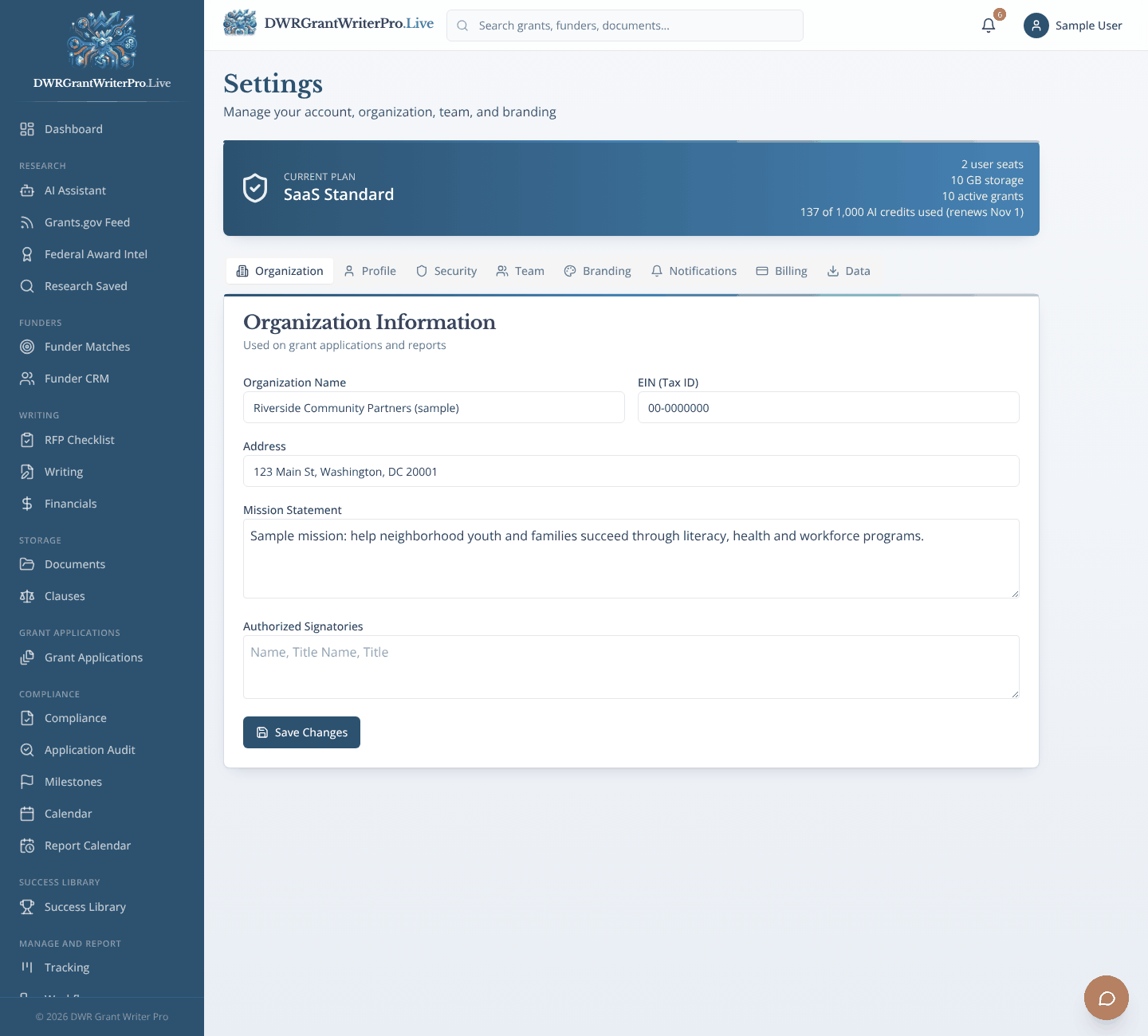
Module 27
Your organization, team, branding and billing.
Frequently asked questions
What is DWR Grant Writer Pro?+
It is a grant workbench for grant writers and small organizations. You find funding, write proposals with AI help, store every document, track every deadline and stay compliant after the award, all in one place instead of across spreadsheets, folders and inboxes.
What is the difference between the monthly plan and Build to Own?+
The monthly plan is $99 per month, with a 15 day free trial, and includes 2 users. Build to Own is $7,995 one time, with optional maintenance at $29 per month. It gives your organization its own separate installation of the platform, with your logo and branding, and includes up to 10 users. The layout and features are the same. If you are not sure, start monthly.
How many people can use the platform?+
The monthly plan includes 2 users, and additional seats are available for an added monthly fee, so contact us for seat pricing. Build to Own includes up to 10 users, and more can be discussed on request.
Can the platform actually find grants for us?+
Yes. The Grant Feed searches active federal opportunities from Grants.gov. You filter by agency, amount, deadline and category, and one click moves a grant into your pipeline. Federal Award Intel shows who has won federal awards, using USAspending.gov data. The AI Assistant can also help you research funders and save what you find.
Where does the funder information come from?+
The Funder CRM starts with a list of well known national foundations compiled from public sources such as IRS filings and funder websites. Details change, so always verify a funder on its own website before you apply. You can edit, delete or add funders at any time. Federal opportunities come live from Grants.gov and USAspending.gov.
How does the AI help with writing?+
The Writing studio drafts proposal sections using the details of the grant you select, such as the funder, goals, eligibility and budget. It is told not to invent facts, and it leaves clearly marked placeholders where information is missing. AI drafts always need your review before you submit anything. The monthly plan includes an AI allowance of 1,000 credits per month, where a chat question uses 1 credit and a proposal draft uses 2.
How does compliance tracking work?+
The Compliance module runs a readiness check across eight areas: organizational capacity, financial systems, program design, evaluation framework, sustainability plan, budget alignment, reporting capability and funder requirements. Each area gets a pass, warning or fail indicator with recommendations. The Report Calendar then builds reporting schedules from your award dates so reports are not missed after you win.
Can we track a grant from the moment we find it through closeout?+
Yes. The Tracking board follows each grant through seven stages: Prospect, Research, Writing, Submitted, Awarded, Active and Closed. The Workflows module can automatically create calendar events, milestones or notifications when a grant changes stage.
We have past winning proposals. Can we keep them in the platform?+
Yes. The Success Library stores your winning proposals with funder, year, award amount, tags and lessons learned, with version history, so your past work stays easy to find and reuse.
How do budgets connect to grants?+
The Financials module lets you build budgets linked to specific grants, with line items, categories and matching funds. When you draft a budget narrative, the budget details are used, and the Reports module can produce a financial summary from the same data.
Is it only for federal grants?+
No. The Grant Feed covers federal opportunities, and the Funder CRM, Research and AI Assistant support foundation, corporate and state funders too. The writing and tracking tools work for any application.
What happens to our data if we cancel?+
You keep control of your data. We provide export tools so you can download your grants, funders, documents and research. On the monthly plan you have 30 days after canceling to export everything.
How do I get help or talk to someone?+
Use the Contact page, email [email protected], or call 202-800-1899. You can also schedule a demo from the button at the top of the page.